
The biggest deliverability shift of 2026 is that mailbox providers now judge your programme continuously and algorithmically, so authentication has become the entry ticket rather than the advantage, and what recipients do with your email decides the rest. If you send marketing, transactional or lifecycle email from the UK or Europe, the practical consequence is that technical hygiene, list quality and sending behaviour need a named owner, because the filters no longer forgive the occasional lapse the way they once did.
This article walks through the trends that matter this year, what they mean for growth-stage SaaS, ecommerce and fintech teams, and the order in which we would act on them.
Table of Contents
- What has actually changed in 2026
- Authentication is now table stakes
- Outlook and Microsoft: enforcement is now visible
- Spam filtering, engagement and reputation
- Reading reputation when the dashboards disappear
- Compliance is now part of deliverability
- Where we can help
- A sensible order of work for the next 90 days
- FAQ
- Sources
What has actually changed in 2026
The fundamentals have not been replaced: you still need authenticated mail, a clean list, steady sending and content people want. What has changed is how strictly those fundamentals are enforced and how quickly a provider reacts when something drifts.
The DMA’s Email Benchmarking Report 2026, published in July and drawing on data from six email service providers, points to improving deliverability across the UK market alongside falling unsubscribe rates and record click-through rates. That is encouraging, but it is an average, and averages hide the senders who are quietly being discarded by the filters while everyone else enjoys a rising tide.
The DMA’s Marketer Email Tracker 2026 describes the underlying mechanism well: mailbox providers increasingly use algorithmic gatekeeping to decide inbox placement, which makes authentication, sender reputation and engagement patterns as critical as creative excellence. It also notes that deliverability expertise is still a specialist skill rather than a core capability for most teams. That second point is the one we see most often in practice, because the person who owns the campaign calendar is rarely the person who owns the DNS records, and nobody owns the gap between them.
In short, three trends define the year:
- Authentication requirements are stricter and are now being enforced with outright rejections, not just spam-folder placement.
- Filtering is adaptive, watching behaviour over weeks and months rather than judging each send in isolation.
- Visibility is getting worse in some places, since the dashboards many teams relied on have been removed or reshaped.
Authentication is now table stakes
If your SPF, DKIM and DMARC setup is still something you meant to tidy up, 2026 is the year it stops being optional. According to Twilio’s documentation on inbox provider requirements, all of the major providers (Google, Microsoft, Yahoo, Apple and Orange) check SPF, DKIM and DMARC records, all require SPF and DKIM at any volume, and all except Orange require a DMARC policy once you send more than 5,000 messages a day. Orange sets its DMARC threshold lower, at 1,000 messages a day, which matters for anyone with a sizeable French audience.
The table below summarises that picture in a form you can hand to an engineering colleague.
| Requirement | What the major providers expect |
|---|---|
| SPF and DKIM | Required at any sending volume |
| DMARC policy | Required above 5,000 messages a day (above 1,000 a day for Orange) |
| Alignment | The visible From domain should align with SPF or DKIM |
| Spam complaint rate | Kept well below 0.3% for bulk senders |
| One-click unsubscribe | Expected for marketing and subscribed mail at bulk volumes |
The complaint ceiling and unsubscribe expectations are covered in more depth in our audit of Yahoo’s sender requirements for UK bulk senders, which is worth reading if you send to a large consumer audience.
Two practical points tend to catch teams out. First, volume thresholds are measured per sending domain across all your platforms combined, so a marketing platform, a transactional service and a support tool each sending a modest amount can add up to bulk status without anyone realising. Second, passing authentication is a prerequisite and not a guarantee. Authentication proves who you are, not that anyone wants the message, which is why the next two sections matter just as much.
If you are not certain what your records currently say, our plain-English guide to SPF, DKIM and DMARC explained is a sensible starting point, and the way your mail streams are split across domains and subdomains is covered in our piece on sending architecture and authentication.
A note on the DMARC standard itself
DMARC has also been moving from an informal specification towards a formal standard, with updated documents that change some of the tags and how the policy domain is discovered. For most senders the day to day effect is small, but if you rely on older tags in your records it is worth having someone check that your record still does what you think it does. A record that parses differently from how you wrote it is exactly the sort of silent fault that surfaces months later as a placement problem.
Outlook and Microsoft: enforcement is now visible
For a couple of years, Microsoft’s bulk sender rules felt like a warning. In November 2026 they feel like a live issue. The Register reported on 9 November that Outlook.com and its consumer services were rejecting legitimate email amid reports of SPF validation failures and missing DMARC errors, and that the problem appeared widespread. The report ties this to Microsoft’s authentication rules for high-volume senders, under which domains with missing or failing SPF or DMARC are treated as suspicious.
What should you do if you send to a lot of Outlook, Hotmail and Live addresses?
- Check your bounce logs for rejection codes that mention authentication or SPF, and split them by recipient domain so Microsoft problems are not drowned out by Gmail success.
- Confirm that every platform sending as your domain is included in your SPF record, without exceeding the ten DNS lookup limit.
- Publish a DMARC record, even if it starts at monitoring-only, and make sure at least one of SPF or DKIM aligns with your From domain.
- Do not assume the fault is yours alone. The reports suggest part of this is Microsoft’s own enforcement behaving unevenly, so compare the pattern against other senders and against your own history before rewriting your setup.
The key habit is to look at results by mailbox provider. An overall delivery rate that looks healthy can conceal a sharp drop at one provider, and that is precisely the sort of problem a blended dashboard never shows you.
Spam filtering, engagement and reputation
The second big trend is behavioural. The DMA’s tracker describes spam filters that are becoming fully automated and adaptive, using machine learning to analyse sender behaviour in real time, and it observes that Gmail now makes placement decisions earlier and with less tolerance. It also draws a useful distinction between signals: complaints are the strongest negative signal, while engagement (opens, replies and moving a message out of spam) is the strongest positive one.
That has several consequences for how you run your programme.
Patterns beat individual campaigns
Providers look at behaviour over time. Sudden jumps in volume, changes in cadence or audience, new IPs or domains, and a switch of email platform all tend to draw attention. This is why a migration or a big promotional push can hurt even when the content is perfectly good: to the filter, a sender who was quiet and is suddenly loud looks a lot like a compromised account.
Seasonal senders feel this most. If you go quiet for ten months and then send heavily in the run-up to Black Friday or Christmas, you are asking the filters to trust you precisely when they have the least recent evidence of your behaviour. Keeping a light, relevant cadence through the quieter months is usually cheaper than recovering a reputation in December.
Authentication proves identity, not value
A message can pass SPF, DKIM and DMARC and still land in the promotions tab or the spam folder, because modern filtering also asks what happens after delivery: whether people open it, how quickly they stop engaging, and whether the same pattern repeats campaign after campaign. Repetitive copy and rigidly predictable timing both encourage fatigue. We cover the wider effects of machine-assisted filtering and machine-written content in our article on how AI is used in email and what it does to deliverability.
Overlapping lifecycle emails are a hidden cause
One cause that rarely appears in trend roundups is the overlap between lifecycle programmes. A welcome series, an abandoned basket flow, a post-purchase sequence and a weekly newsletter can each look sensible on their own and then collide in the same inbox on the same day. Recipients do not experience four programmes, they experience one noisy sender, and they respond with deletes, ignores and complaints. Auditing the combined send frequency per recipient, rather than per campaign, is one of the most effective changes a lifecycle manager can make.
Reading reputation when the dashboards disappear
Visibility has become harder. The DMA’s tracker notes that, since September 2025, Gmail Postmaster Tools v2 no longer shows the domain and IP reputation dashboards. It still reports spam complaint rates and authentication status, but any degradation in placement may only appear indirectly. Google’s own help page on Postmaster Tools dashboards describes the Compliance Status Dashboard, which shows whether you meet the sender requirements, and explains that data is typically updated within 24 hours while changes can take up to seven days to appear.
That delay is worth planning around. If you change a DNS record on Monday, do not expect the compliance view to confirm it on Tuesday, and do not make three more changes in the meantime because the first one seems not to have worked.
In the UK there is a further wrinkle: BT, Sky, Virgin Media and TalkTalk run their own independent filtering systems, so success at Gmail does not tell you how you are doing with a large share of British consumers. If your audience is predominantly UK consumers, include these providers when you split your reporting.
The five things worth watching
Given the loss of a single reputation score, we suggest building your own picture from these signals:
- Spam complaint rate by provider. Keep it comfortably below the 0.3% enforcement line, and treat anything creeping upwards as an incident, not a statistic.
- Authentication pass rates by sending source. A new platform quietly sending unauthenticated mail shows up here first.
- Bounce and deferral patterns by mailbox provider. Throttling and soft bounces often precede outright blocks.
- Engagement trends among recent recipients. Clicks, replies and conversions per recipient are more reliable than opens, since Apple Mail Privacy Protection inflates open rates.
- Inbox placement tests on seed addresses. These are imperfect but give you an independent check on where mail lands, including the spam folder.
None of these is difficult on its own. The difficulty is that they live in different places (your platform, your DNS, Postmaster Tools, your logs), and unless someone looks at all of them regularly, a problem can run for weeks before it becomes a revenue conversation.
Compliance is now part of deliverability
In the UK, regulation has moved in a direction that makes careless list practices more expensive. Data Protection Network’s summary of the DUAA reforms reports that the maximum PECR fine for marketing rule breaches rose from £500,000 to £17.5 million or 4% of annual global turnover, whichever is higher, following reforms that took effect on 5 February 2026.
For email teams, the practical reading is that consent records, suppression handling and the way you apply the soft opt-in need to be defensible, not merely convenient. A list built on shaky permission tends to produce exactly the signals that filters punish: low engagement and higher complaints. If you sell to existing customers and supporters, our guide to the PECR soft opt-in and keeping emails out of spam sets out how the two concerns fit together, and if you send across the UK and EEA, our comparison of UK GDPR and EU GDPR changes for email teams covers where the rules diverge.
Where we can help
When a team tells us that emails are landing in spam, the cause is rarely a single missing record. More often it is a combination of authentication gaps, a sending pattern the filters distrust, a list that has aged, and lifecycle emails that overlap. Our approach is to investigate beyond authentication and blocklists, and your senior consultant works in your platforms alongside your team to implement the agreed fixes.
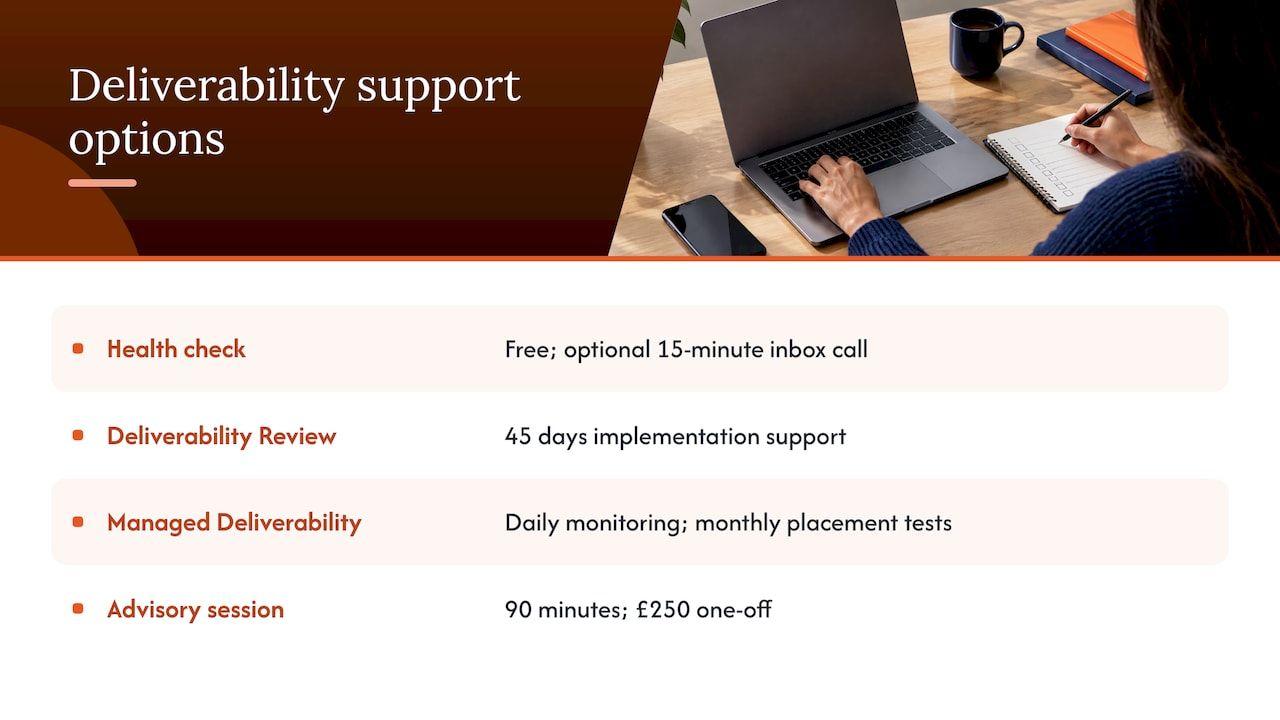
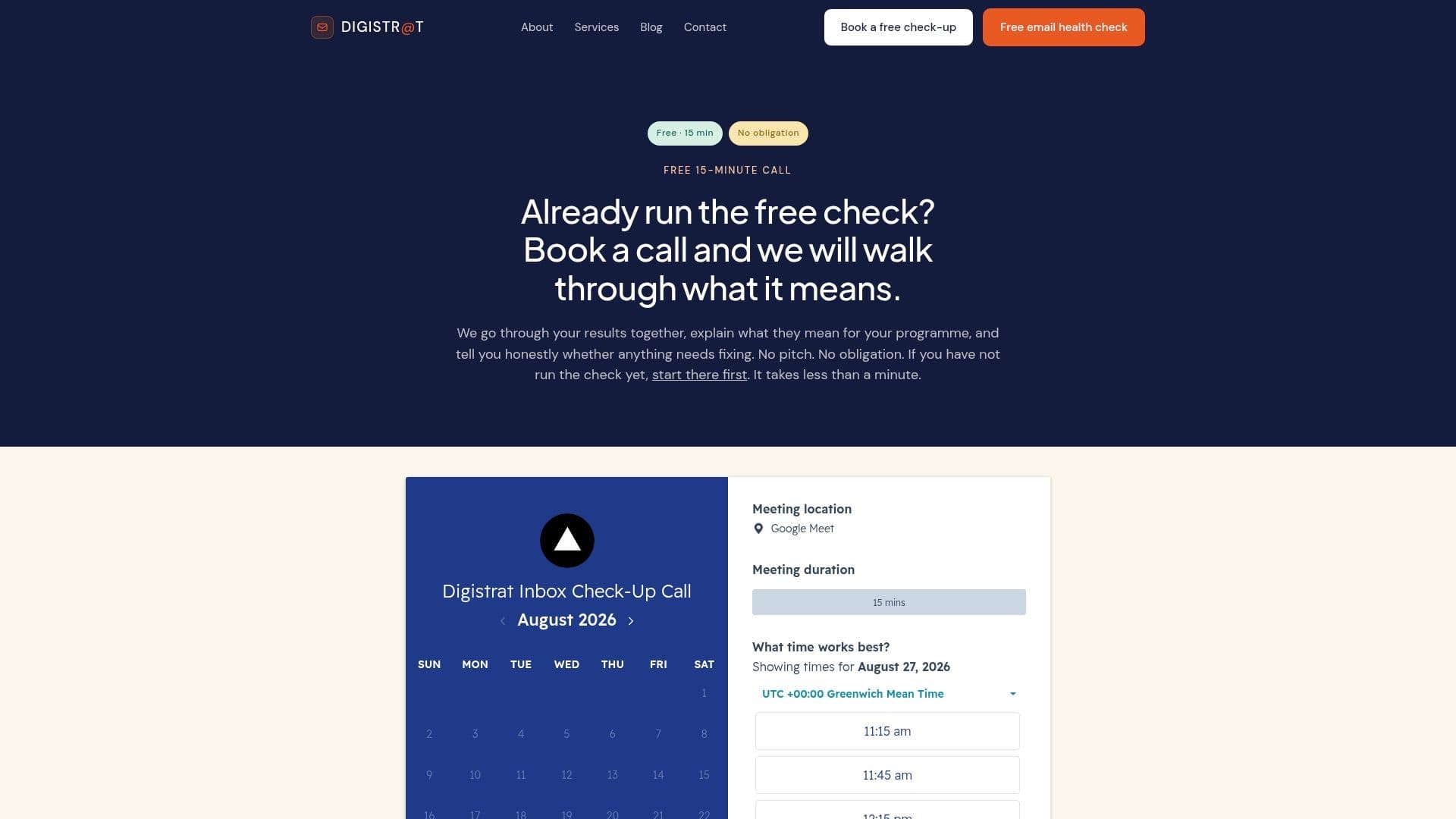
The quickest way in is our free health check, with a 15-minute inbox check-up call if you would like to talk through the results. If you need a deeper investigation, Deliverability Review and Fix combines a detailed review with 45 days of implementation support, and our deliverability services page sets out the full range, including authentication setup, ESP migration, IP warm-up and reputation recovery.
For teams that want deliverability to have a clear owner, Managed Deliverability provides daily monitoring, incident response, monthly inbox placement testing and one agreed strategic improvement each month, carried out with your team. If you have one specific question, such as how to read a set of bounce logs or whether a migration plan is sound, a 90-minute advisory session is available at £250 one-off.
A sensible order of work for the next 90 days
Trend articles are only useful if they change what you do on Monday. This is the sequence we would suggest for a growth-stage sender who suspects the new environment is working against them.
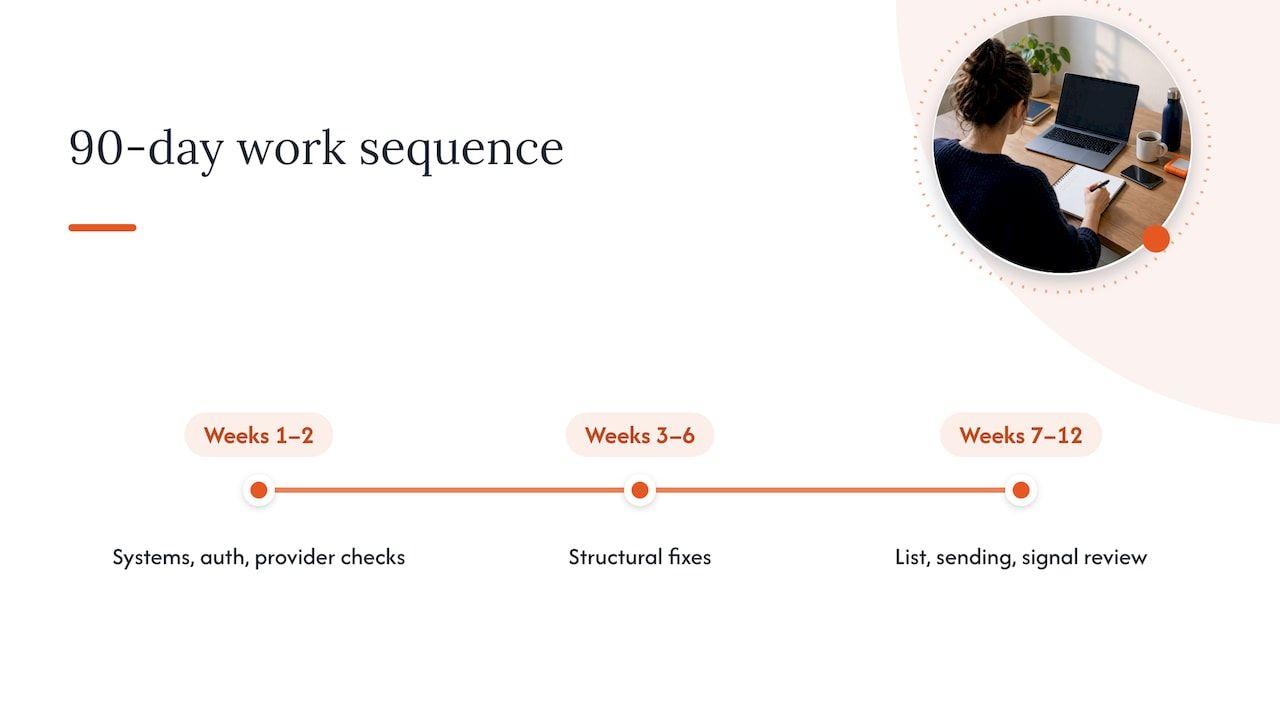
Weeks one to two: establish the facts
List every system that sends email as your domain, including the ones nobody in marketing remembers, such as billing tools, support desks and CRM plug-ins. Check SPF, DKIM and DMARC for each, and confirm alignment. Pull complaint rates, bounces and engagement by mailbox provider for the last six months, so you can see whether the decline is gradual or tied to a specific date. If you want a structured version of this, our email deliverability audit covers exactly this ground.
Weeks three to six: fix the structural issues
Correct authentication gaps first, because they are cheap, measurable and now enforced. Separate transactional and marketing streams where they currently share a domain, so that a bad marketing week cannot drag down password resets and order confirmations. Introduce one-click unsubscribe where it is missing and make sure unsubscribes are honoured promptly. If you are planning a platform migration or new domain, warm it gradually over several weeks and spread each day’s volume, which is also what industry best practice guidance recommends.
Weeks seven to twelve: change behaviour, not just settings
Tighten your list rules, sunsetting contacts who have not engaged for a sensible period and suppressing them from promotional sends. Map every lifecycle programme and cap the combined frequency any one person can receive. Vary your copy and send times where you can, and test one change at a time so that you know what helped. Then set up a standing review of the five signals above, with a named person responsible for acting on them.
When something does go wrong suddenly, resist the urge to rewrite the creative first. Confirm that the sends went to comparable segments, check that the drop is real in your reporting, look at bounces, complaints and unsubscribes, split results by provider, and confirm whether DNS or your From name changed. Only then start changing content.
FAQ
Do I need DMARC if I send fewer than 5,000 emails a day?
All the major providers require SPF and DKIM at any volume, and the DMARC requirement formally starts at higher volumes. However, volume is counted across all your sending sources, and a published DMARC record also gives you reporting on who is sending as your domain. We would publish one regardless of size, starting at a monitoring policy and tightening it as you gain confidence.
Why are my emails going to spam when SPF, DKIM and DMARC all pass?
Because authentication proves identity, not value. Filters also assess how recipients behave after delivery, including opens, replies, deletes and complaints, and they look at patterns across weeks. Overlapping lifecycle emails, an ageing list and sudden changes in volume are common causes that a clean authentication report will not reveal.
Is the Gmail reputation score still available?
Not in the form many teams remember. According to the DMA’s Marketer Email Tracker 2026, the domain and IP reputation dashboards were removed from Postmaster Tools v2 in September 2025, although spam complaint rates and authentication status remain. That makes it more important to monitor complaints, bounces and engagement yourself and to test inbox placement independently.
Why are Outlook and Hotmail rejecting my email now?
Recent reports describe Outlook.com rejecting legitimate messages from domains with missing or failing SPF or DMARC, as part of Microsoft’s authentication rules for high-volume senders. Check your bounce codes, make sure every sending platform is covered by your SPF record, and publish an aligned DMARC record. If the problem persists after your records are correct, a short advisory session can help you read the logs.
How much has the UK PECR penalty changed?
The maximum fine for marketing rule violations under PECR was raised from £500,000 to £17.5 million or 4% of annual global turnover, whichever is higher, with the reforms taking effect on 5 February 2026. For email teams, that makes consent records and list hygiene a board-level concern as well as a deliverability one.
Sources
- DMA Email Benchmarking Report 2026
- DMA Marketer Email Tracker 2026
- Twilio SendGrid documentation on inbox provider authentication requirements
- The Register on Outlook.com rejecting legitimate email
- Google Postmaster Tools dashboards help page
- Data Protection Network on UK GDPR and PECR DUAA reforms