
AI is used in email in two broad ways: to help people write, sort and reply to messages, and to help marketing teams plan, personalise, time and measure the campaigns they send at scale. Both can save a good deal of effort, but neither changes the rules that decide whether a message reaches the inbox, which is why teams that adopt AI without checking authentication, list quality and complaint rates often find their results getting worse before they get better. This guide covers where AI genuinely helps, where it quietly causes harm, and what UK senders need to keep in view.
Table of Contents
- How AI is being used in email today
- Where AI genuinely helps marketing teams
- Can AI improve email deliverability?
- Foundations to check before adding AI
- UK rules that apply when AI personalises your email
- A sensible way to introduce AI into an email programme
- When to get specialist help
- FAQ
- Sources
How AI is being used in email today
The phrase covers quite different things, and it helps to separate them, because the risks differ for each.
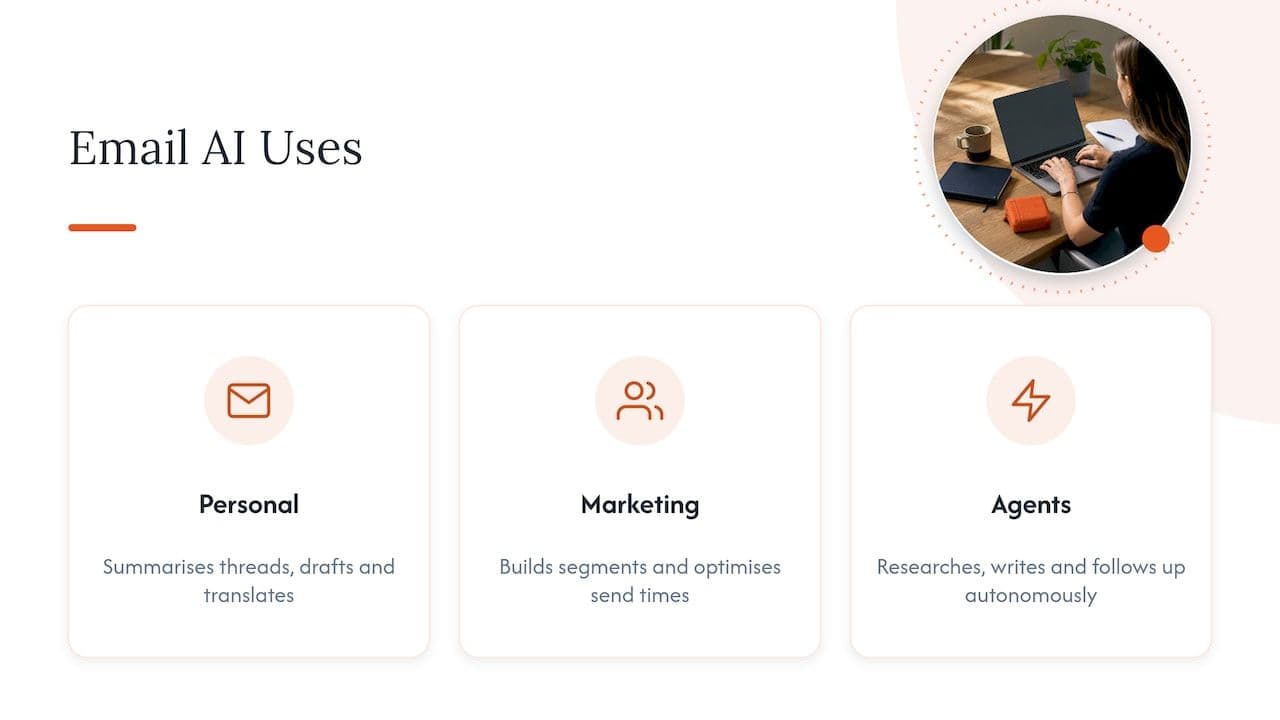
The first group is personal productivity: assistants built into mailboxes that summarise long threads, draft replies, tidy up tone, translate, search old messages and suggest follow-ups. These live on the receiving or one-to-one sending side, and for the most part they have little effect on deliverability because the volumes are small and the recipients are people who already know the sender.
The second group is email marketing and lifecycle messaging, which is where most of the commercial value (and most of the risk) sits. Here AI is used to generate subject lines and body copy, build audience segments from behavioural data, predict who is likely to churn or buy, choose when each person is most likely to open, and summarise campaign performance so that a team does not have to dig through dashboards. Litmus describes AI’s real value in email marketing as supporting repetitive, data-heavy tasks such as unifying customer data, identifying engagement patterns and optimising send times, with human judgement remaining important, and that is a fair summary of what works in practice.
The third group is newer: software agents that send and receive email on their own, for example sales outreach sequences that research a prospect, write a message and follow up without a person touching each one. This is where deliverability trouble tends to start, because a system that can write ten thousand plausible emails in an afternoon can also get a domain blocked in the same afternoon.
Where AI genuinely helps marketing teams
It is worth being specific, because “AI will improve your email” is not a plan. These are the places where we see it pay back, and the conditions that make it so.
Drafting and testing copy
The most common use is generating first drafts: subject line options, preheader text, alternative calls to action and shorter versions of long newsletters. The value is speed on the blank page, not finished copy. A competent editor will still need to check facts, offer details, tone and legal wording, and will usually rewrite a fair amount so the message sounds like your brand and not like every other brand using the same tool.
The discipline that matters is volume of variants against volume of testing. Producing twenty subject lines is easy; having enough audience to test more than three or four of them properly is not. Most teams are better served by using AI to widen the pool of ideas and then running a small number of disciplined tests than by publishing every variant it produces.
Personalisation beyond a first name
AI is useful when it helps decide what to say to whom: recommending products based on browsing and purchase history, adjusting the lead story in a newsletter for different interests, or changing the content block a customer sees depending on where they are in the lifecycle. The test is relevance. A message that feels as though it was written for the reader earns opens, clicks and replies, and those positive signals feed back into how mailbox providers treat your future mail.
The reverse is also true. Clumsy personalisation, such as recommending something the customer has just bought or referring to a behaviour they would rather not have noticed, tends to produce unsubscribes and spam complaints, and complaints are far more expensive than a missed click.
Segmentation and automation
Segmentation is a natural fit for machine learning because it is a pattern-finding problem. Models can cluster customers by behaviour, flag those who have gone quiet, score leads by likelihood to convert and trigger journeys at the right moment. For a lifecycle manager, this often means replacing a handful of broad segments with a larger number of smaller, more meaningful ones.
There is a deliverability dividend here that is often overlooked. Good segmentation lets you stop mailing people who are not engaging. Sunsetting unengaged contacts, or sending them a final re-engagement message before suppressing them, protects your sender reputation far more reliably than any clever subject line. If you use AI for one thing only, using it to decide who should not receive the next campaign is a strong candidate.
Send-time optimisation and analysis
Send-time tools learn when each subscriber tends to open and schedule delivery accordingly. The gains are usually modest, and they matter more for time-sensitive retail and travel sends than for monthly newsletters. Be aware too that open data has become less reliable since mail privacy features began pre-loading images, so any model trained mainly on opens is working from a distorted signal. Clicks, replies, conversions and revenue per send are sturdier inputs.
On the analysis side, AI summaries can save hours: pulling out which segments underperformed, which sends drove revenue and where bounce or complaint rates moved. Treat them as a starting point for a human to check, not a verdict. If you want help building the surrounding workflow, such as connecting CRM data, automation and AI assistants, practical AI automation and integration services cover that kind of plumbing, and an AI workspace for marketing copy and content can speed up the drafting stage so long as a person signs off the result.
Can AI improve email deliverability?
Indirectly, sometimes. Directly, no.
If AI helps you send something clearer and more relevant to the right audience, recipients engage more and complain less, and that is good for reputation over time. What it cannot do is override the things mailbox providers actually weigh: whether your domain is properly authenticated, how your sending history looks, how steady your volumes are, how clean your list is, how recipients react and how often they hit the spam button.
There is a useful way to hold this in your head. Deliverability is decided by the sender’s reputation and behaviour, not by the tool that wrote the copy. A message produced by a person and a message produced by a model are judged on the same evidence: who sent it, from where, to whom, how often and with what response.
The risks that come with speed
The practical danger is not that mailbox providers detect AI-written text and punish it. The danger is what AI makes easy.
- Volume spikes. When drafting stops being the bottleneck, teams send more, to more people, more often. A sudden jump from a steady weekly volume to several times that is exactly the pattern that makes providers throttle or divert mail, particularly on shared infrastructure where someone else’s behaviour can also affect you.
- Lists stretched too far. Pressure to feed a faster content engine leads to mailing older, colder contacts. Those contacts are the likeliest to mark mail as spam or to be recycled spam traps.
- Generic or inaccurate content. Bland, repetitive copy gets ignored, and wrong claims (a discount that does not exist, a feature you do not offer) create complaints and, depending on the claim, regulatory exposure.
- Unreviewed automation. Agents that follow up automatically can keep emailing people who have asked them to stop, which is both a complaint generator and, in the UK, a compliance problem.
Gmail’s guidance for bulk senders sets a spam-complaint target of under 0.10%, and it is worth treating that as an operating limit for AI-assisted programmes in particular, because a tool that scales your sending also scales your complaints. Our own remediation plan for keeping the Gmail spam rate under 0.10% walks through how to monitor and recover it.
Warm up before you scale
If AI is going to take your volume up significantly, particularly if you are moving to a dedicated IP address to handle it, the increase has to be gradual and start with your most engaged recipients. Providers have no history on a fresh IP, so they watch the first weeks closely. We have set out a 45-day, ISP-aligned IP warming playbook that shows how to ramp without tripping filters, and the same logic applies when an existing programme is about to double.
Foundations to check before adding AI
A sensible order of operations is to confirm the plumbing, then add the tools. Run through these before any AI project goes live.
| Check | What good looks like | Why it matters for AI-driven sending |
|---|---|---|
| Authentication | SPF, DKIM and DMARC aligned for every sending source, with DMARC moving towards enforcement | New tools and agents often send from new systems, each of which needs to be authorised or it will fail checks |
| Sending architecture | Separate subdomains or streams for marketing, transactional and any automated outreach | Keeps an experiment from dragging down your most important mail |
| List quality | Consent recorded, bounces removed promptly, inactive contacts suppressed on a schedule | AI tends to widen who you mail; a clean list limits the damage |
| Complaint monitoring | Postmaster data and feedback loops reviewed weekly, with alerts | You need to see the effect of each change within days, not months |
| Volume plan | Written ramp-up limits per stream | Stops automation from outrunning your reputation |
If you are unsure about the first two rows, our explainer on SPF, DKIM and DMARC is a good place to start, and the piece on sending architecture and authentication explains how to separate streams so that one programme’s problems stay contained.
UK rules that apply when AI personalises your email
Using AI does not create a separate legal regime for email, but it does put pressure on rules you were already bound by. If you send to UK recipients, three areas need attention.
Consent and PECR. The ICO says UK businesses must consider both PECR and data protection law for email marketing, that individual subscribers generally need specific consent unless a soft opt-in applies, and that the soft opt-in for your own products and services requires a simple, free opt-out in every later message. An AI agent that finds an email address and sends a cold message to an individual does not escape this just because no human pressed send. Our guide to the PECR soft opt-in covers how to apply it without ending up in spam folders.
Profiling and automated decisions. The ICO’s guidance explains that UK GDPR Article 22 restricts profiling only when a decision is solely automated and has a legal or similarly significant effect, so tailoring ordinary marketing is not generally caught by it. However, you still need a lawful basis, people can object to profiling for direct marketing, and children and vulnerable groups call for particular care. If a model is deciding who sees an offer based on inferred vulnerability or financial stress, that is the point to involve your data protection lead.
Generative tools and personal data. Pasting customer data into a public AI tool, or letting a vendor train on it, raises its own questions about lawful basis, transparency and processor contracts. The ICO publishes answers to questions organisations have asked about generative AI and lawful basis, and it is worth reading before you roll anything out. You remain responsible for what goes out under your name, so fact-checking and approval workflows are your job, not the tool’s.
If you also send into the EU, the two regimes are diverging in places, and our note on UK GDPR versus EU GDPR changes for email teams sets out what to watch.
A sensible way to introduce AI into an email programme
The teams that get lasting value tend to follow roughly the same path, and it is deliberately unglamorous.
- Baseline first. Record current inbox placement, complaint rate, bounce rate, unsubscribe rate and revenue per send for each stream, so you can tell whether AI helped or hurt.
- Pick one use case. Subject line ideas, a churn-risk segment or send-time optimisation, not all three at once. If something moves in the wrong direction you want to know why.
- Keep a human in the loop. Someone reviews copy for accuracy, tone and legal compliance before it ships, and someone reviews audience rules before they go live.
- Cap the volume. Set a ceiling on how much any new automated stream may send in its first weeks, and raise it only when complaint and bounce rates stay healthy.
- Watch the signals for two to four weeks. Look at placement, complaints and engagement by mailbox provider, not just the overall average, because a problem at one provider is easily hidden in a blended number.
- Document what you learned, then move to the next use case.
This is slower than switching everything on at once, but it is considerably cheaper than recovering a blocked domain, a process that can take weeks and lose revenue the whole time.
When to get specialist help
Most of the problems described here are diagnosable: a failing authentication alignment, a stream sharing a reputation it should not, a list that has been stretched too far, or a ramp that was too steep. The difficulty is that the symptoms (falling opens, mail drifting to spam, delayed delivery at one provider) look the same whatever the cause, and they often appear only after AI-assisted volume has already gone out.
At Digistrat, the work is carried out directly by a senior specialist with experience inside major ESPs, with a focus on UK and European inbox environments and on fixing problems rather than only reporting them. If you think an AI rollout has affected your placement, or you want the foundations checked before you start, you can begin with our free health check and deliverability services, or book a 250 GBP one-off advisory session to talk your plan through with a specialist. If you already know reputation is the problem, our overview of sender reputation explains what is being measured, and ongoing reputation monitoring catches drift before it becomes an incident.
FAQ
How is AI being used in email?
At the individual level, it summarises threads, drafts and polishes replies, and searches old messages. In marketing, it generates copy variants, builds segments, predicts churn, picks send times and summarises results. A newer category is autonomous agents that send and follow up on their own, and these need the tightest controls.
Does AI-written email go to spam?
Not because it is AI-written, as far as anyone can show. Delivery depends on authentication, sender reputation, list quality, sending patterns and how recipients respond. Generic or inaccurate AI copy can raise complaints, and sudden volume jumps can harm reputation, so the indirect risks are real even if the text itself is not penalised.
Is it legal to use AI to personalise marketing emails in the UK?
Yes, provided you meet the same obligations as for any email marketing: a lawful basis, valid consent or a qualifying soft opt-in under PECR, a clear opt-out, and respect for objections to profiling. The ICO says Article 22 restrictions apply only to solely automated decisions with legal or similarly significant effects. Take advice from your data protection lead where profiling touches vulnerable groups.
Should I use AI to write every email?
No. It works best as a drafting and ideas partner for a person who checks facts and tone, and it is least reliable when left to publish unreviewed. Start with one use case, measure complaints and placement, and expand only if the numbers hold.
Sources
- How to Use AI in Email Marketing in 2026, Litmus
- Automated decision making and profiling, ICO
- Plan direct marketing, ICO
- Previously asked questions, ICO Innovation Advice
- AI services, strategy and automation
- AI for marketing teams
