
If your legitimate email is being refused by recipients who use Trend Micro, the cause is almost always your sending IP address and not your message content. Trend Micro’s Email Reputation Services (ERS) judges the connecting server before a single word of your email is accepted, so rewriting subject lines or trimming images will not change the outcome. What does change it is finding out which reputation database your IP sits in, fixing whatever put it there, and then submitting a properly evidenced exception request.
This guide explains how ERS works, how to read the error codes you will see in your bounce logs, how to look up and challenge a listing, and what to do about the underlying infrastructure so you do not end up back on the list next month.
Table of Contents
- What Trend Micro email reputation actually does
- Reading the error codes in your logs
- How to check whether your IP is listed
- Requesting removal without wasting a fortnight
- Approved lists do not solve a block
- Reputation block or content filter?
- Fixing the cause, not just the listing
- When to bring in a specialist
- A short checklist for the next time you see a block
- FAQ
- Sources
What Trend Micro email reputation actually does
Trend Micro keeps a central database of IP addresses belonging to known spam senders, and email reputation filters spam by blocking the IP addresses stored in that database. It sits at the very front of the inbound chain. In Trend Micro Email Security, for example, connection filtering is the first thing evaluated, before the message is inspected for spam, malware or policy.
That ordering matters for senders. Your email may be perfectly written, properly authenticated and sent to people who asked for it, yet if the connecting IP has a poor reputation the receiving server can refuse the conversation early. The message never gets as far as a content filter, which is why people so often describe it as having “left the building” without any sign of where it went. The only evidence is a bounce or deferral in your sending logs, and if nobody on your team reads those, the problem can run quietly for weeks.
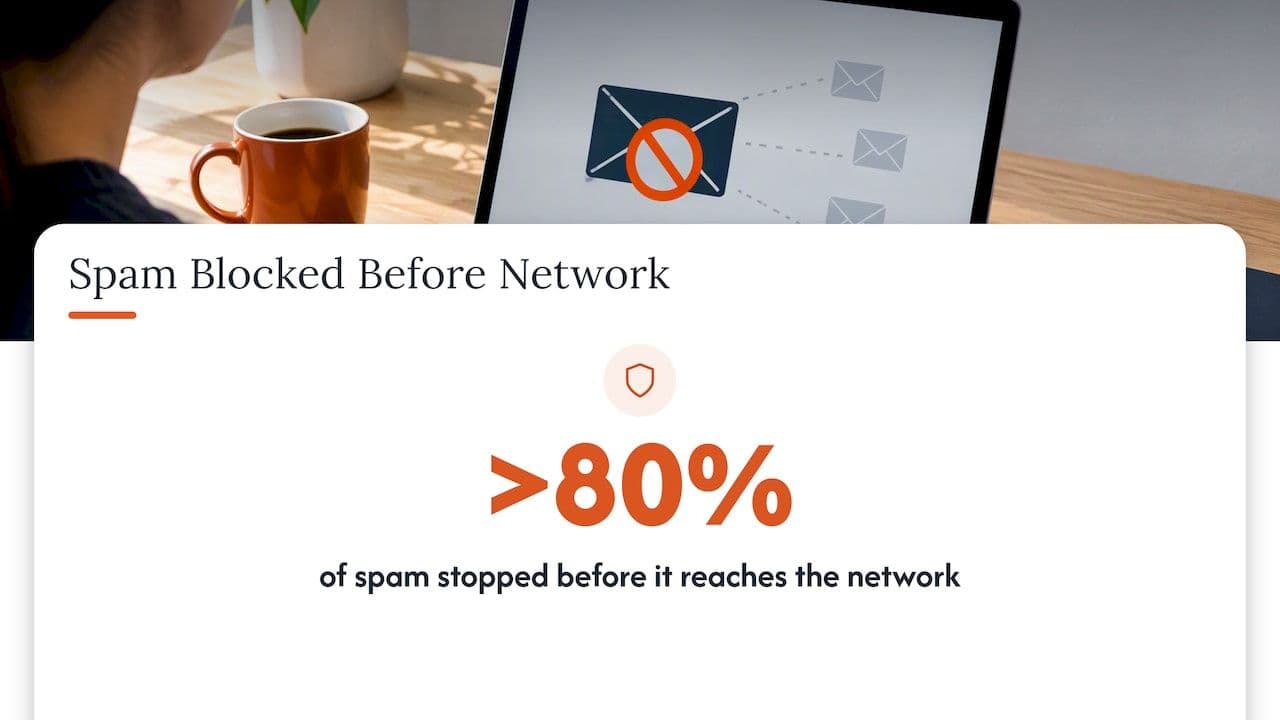
Trend Micro describes ERS as a first line of defence and says it helps stop more than 80% of spam before it reaches the network. That is a strong reason for receiving organisations to switch it on and keep it strict, and it is also why you, as a sender, will meet it so frequently among corporate and public sector recipients.
Standard and advanced tiers
ERS has two tiers, and the difference explains most of the odd behaviour senders report.
- Standard uses a static database of more than one billion IP addresses, covering long-term, known sources of spam.
- Advanced uses a dynamic, real-time database designed to catch newer threats such as botnets and compromised accounts as they appear.
The dynamic tier is updated as evidence of spam activity increases or decreases, and Trend Micro’s own documentation says new spam sources are often added within minutes. The practical consequence is that a dynamic listing is designed to be self-correcting. If the bad behaviour stops, the entry ages out, which means many temporary blocks are temporary by design. A standard listing is a different matter, because it describes a longer history and generally needs a deliberate request to shift.
Why two customers can see different results
One thing practitioners often overlook is that the service is not applied identically everywhere. Receiving organisations choose a sensitivity level for the dynamic checks, and in Trend Micro’s hosted product the documented levels run from off, through least aggressive, to more aggressive settings, with level 2 described as the default. Self-managed appliances add another variable, because the result depends on how the gateway is configured to make its DNS queries to the reputation service. So you may find one customer rejecting your mail while another, apparently using the same vendor, accepts everything. Do not assume it is random. Ask the recipient’s administrator which product and which reputation level they run.
Reading the error codes in your logs
The first job is to confirm that Trend Micro is really the cause. Your mail server or email service provider (ESP) logs should record the SMTP response from the recipient, and the two codes that matter here are these.
| Response | What it usually means | What a sender should do |
|---|---|---|
| 550 | A standard reputation match: the connection is refused outright | Look up the IP, find the root cause, then request removal with evidence |
| 450 | A dynamic (advanced) reputation check: the connection is temporarily denied | Make sure your system retries, check what your IP has been doing recently, and watch whether the block clears on its own |
The 450 is a courtesy of sorts. It tells a legitimate server to re-queue the message and try again once the transient issue is resolved or the IP status has been updated. Well-configured platforms do this automatically, but a badly set-up in-house application that treats every non-250 reply as a permanent failure will throw away mail that would have arrived on the second attempt. If you see large numbers of 450 deferrals followed by silent drops, check your retry settings before you look anywhere else.
A 550 is more serious, and it is the one that usually justifies an exception request. Keep the full text of the rejection, the timestamp, the sending IP and the recipient domain, because you will need them when you talk to the recipient and when you fill in the form.
How to check whether your IP is listed
Trend Micro provides a public lookup in Service Central. The documentation tells you to look up the full IP address and determine which database it appears in if you suspect ERS is blocking it. The steps are short.
- Identify the exact IP that connected to the recipient. This is the address in the “Received” headers or your ESP’s delivery log, and not your website or office IP. If you send through a shared pool, you will need your provider’s help to establish which address was used.
- Enter the full address in the ERS lookup and read the result, paying attention to which database lists it (standard or dynamic).
- Note whether the result matches the error you saw. A 550 with no standard listing, or a 450 with no dynamic listing, suggests the recipient’s configuration or a different filter is involved.
- Check the reverse DNS (rDNS) for the IP. Dynamic or unverified-looking infrastructure is a common reason for temporary blocks, and a missing or generic PTR record makes you look exactly like the kind of server ERS is designed to refuse.
If you send through a shared IP at a large ESP, you generally cannot fix a listing yourself, because you do not control the neighbours. In that case the right move is to raise it with the provider with your evidence in hand and, if the problem persists, to ask about moving to a dedicated address.
Requesting removal without wasting a fortnight
If the IP is incorrectly blocked, or was blocked for a cause you have since fixed, you can use the blocked list exception form. Trend Micro recommends writing in English for a faster resolution, and asks for specific details: your role, the reason the IP is used (mail hosting or a marketing service, for instance), a description of why the address was sending spam, and evidence of how the problem was remediated. It also states that submitting a request does not guarantee removal.
The pattern we see is that requests fail because they are vague, not because the listing was deserved. “We are a legitimate business, please unblock us” tells the reviewer nothing. A request that is likely to be taken seriously reads more like an incident report:
- What happened: a compromised mailbox, an open relay, a web form abused to send junk, or an unmanaged list import that produced complaints.
- When it was found and how: the log entries, the alert, the complaint feedback loop or the bounce pattern that exposed it.
- What was changed: passwords rotated, relay closed, CAPTCHA added to the form, list cleaned, sending paused for the affected stream.
- What now prevents a repeat: authentication in place, monitoring, rate limits, sign-up confirmation.
A request with no verifiable remediation is likely to be ignored or rejected, and a second poorly evidenced attempt does you no favours. It is better to spend an extra day gathering logs than to submit twice.
A worked example
Imagine a UK e-commerce business sending order confirmations and marketing from the same dedicated IP. A spike of 450 deferrals appears for several corporate recipients one Monday, and by Wednesday some are 550 refusals. The lookup shows the address in a listing. Digging into the logs, the team finds that a contact form on a forgotten microsite had been abused to relay junk through the shared mail server over the weekend. The fix is to close the form, rotate the credentials, move transactional and marketing mail onto separate streams, and then submit the exception request with the timestamps of the abuse, the date it stopped and the configuration change. That is the level of detail the form is asking for. Without it, the same business would be sat waiting for a dynamic listing to age out while order confirmations went missing.
Approved lists do not solve a block
Many teams reach for the Global Approved List first, hoping it works as a bypass. It does not. Trend Micro describes the global approved list as a collection of legitimate mail servers that helps reduce false alarms for spam filters, and nomination again carries no guarantee. It is about false positives in spam scoring, and it will not by itself undo an existing IP block, for which you need the lookup and exception route above.
There is a second reason to treat it with caution. Even where an approved status helps, it can paper over underlying problems. If your domain has no DMARC policy, inconsistent SPF or unsigned mail, you are relying on goodwill from a single vendor while every other mailbox provider continues to form its own view of you. Recipients can also set their own rules: in Trend Micro Email Security, administrators can configure approved and blocked sender lists for their own organisation, so a customer’s local list may override what you see at the global level. If one particular client of yours cannot receive your email, ask their IT team to check their local lists as well as the reputation result.
Reputation block or content filter?
This is the diagnostic fork that saves the most time. A reputation block is about who is connecting. A content block is about what is inside the message. They look similar from the sender’s chair, since in both cases the recipient does not get the email, but they have different fixes.
| Symptom | Points to | First place to look |
|---|---|---|
| SMTP rejection or deferral at connection, before DATA | IP reputation (ERS) | Lookup, rDNS, recent abuse or compromise |
| Message accepted, then delivered to junk or quarantined | Content or domain-level filtering | Authentication, links, sender domain reputation |
| Only some recipients affected, all on the same gateway | Recipient configuration | Their reputation level and local lists |
| Everything fine at first, then declines over weeks | Gradual reputation erosion | List quality, complaints, engagement trends |
If you are in the first row, editing your copy is wasted effort. You can only change the outcome by correcting the IP’s reputation or the rDNS configuration, and then evidencing it.
Fixing the cause, not just the listing
A delisting without a root-cause fix usually lasts until the next incident. These are the areas that tend to decide whether you stay clear.
Authentication that actually holds up
SPF, DKIM and DMARC will not by themselves clear an IP block, but they are what lets receivers, including those on Trend Micro, tell your genuine mail from anyone spoofing you. A DMARC policy that moves from monitoring to enforcement also gives you reports showing which systems are sending as your domain, which is often how forgotten senders and abused forms are discovered. If you want the fundamentals, our guide to SPF, DKIM and DMARC covers what each record does and where the usual mistakes occur.
Sending architecture
Mixing password resets, invoices and cold-ish promotional campaigns on one IP means a single bad campaign can damage everything. Separating streams by type, and giving high-value transactional mail its own protected address, limits the blast radius. We go into this in more depth in how sending architecture and authentication affect deliverability.
Sender reputation more broadly
IP reputation is one input among several. Mailbox providers also weigh domain reputation, complaint rates, bounce rates and engagement. If you want the wider picture, what sender reputation is and how to protect it explains how those signals combine, and why a fix at one layer rarely rescues a weak foundation underneath.
Monitoring and ownership of the infrastructure
Most IP blocks are noticed late because nobody is watching the SMTP responses. Someone needs to own bounce and deferral analysis, authentication reports and blocklist checks, whether that is an internal engineer, a managed IT provider (for example, managed IT services that include monitoring of mail flow and infrastructure) or a specialist retainer. Just as important, if you run your own gateway or relay, check that it is performing the DNS queries your chosen reputation tier requires, rather than assuming the feature is active by default.
When to bring in a specialist
Some blocks are a ten-minute job: a typo in rDNS, a retry setting, a single compromised account. Others are symptoms of something bigger, such as a list that has been neglected for years, a migration that moved mail onto a cold IP without warm-up, or an authentication set-up that was never finished. If you are seeing refusals at several large recipients, falling open rates, or revenue-bearing mail such as order confirmations going missing, the cost of waiting is usually higher than the cost of a proper review.
This is the work we do at Digistrat for UK and European senders. Everything is carried out directly by a senior specialist with experience inside major ESPs, and we implement the fixes rather than handing over a report and wishing you luck. If you want a first opinion, our free health check is the usual starting point, and where you have one specific problem to talk through, a 90-minute advisory session is available at £250 one-off. For ongoing protection, reputation monitoring means listings and warning signs are caught before your customers notice. You can see the full range, including authentication setup, IP warm-up, ESP migration and reputation recovery, on our deliverability services page.
A short checklist for the next time you see a block
- Capture the full SMTP response, timestamp, sending IP and recipient domain.
- Decide whether it is a 550 or a 450, and check that your platform retries the latter properly.
- Look up the exact IP in the ERS lookup and note which database lists it.
- Check rDNS, SPF, DKIM and DMARC alignment for the sending domain and IP.
- Look for the cause: compromise, abused form, bad import, new IP with no warm-up.
- Fix it, keep the evidence, and only then submit the exception request.
- Ask the recipient’s administrator about their reputation level and local lists if only one organisation is affected.
- Put monitoring in place so the next incident is noticed in hours rather than weeks.
FAQ
Can I pay Trend Micro to remove my IP from the blocked list?
The published process is an exception request through Service Central, and nothing in it suggests a payment route. You submit your role, the reason the IP is used, an explanation of why it was sending spam and evidence of remediation. Trend Micro states that a nomination does not guarantee removal.
How long does a Trend Micro IP block last?
It depends on the tier. Dynamic listings are updated as spam activity rises or falls, so they can clear once the behaviour stops, whereas standard listings reflect longer-term history and generally need a request. Trend Micro does not publish a fixed duration, so treat any specific timescale you read elsewhere with suspicion.
Will fixing my email content stop the blocking?
Not if the refusal is an ERS reputation block, because the connection is refused before the message content is received. You need to correct the IP’s reputation or its rDNS configuration. Content changes only matter for blocks that happen later, in the spam filter itself.
Is a 450 error from Trend Micro permanent?
No, a 450 is a temporary denial that tells the sending server to try again later. Your platform should re-queue the message automatically, and if it does not, fix that retry behaviour first. If the same IP keeps being deferred, look for recent abuse or poor infrastructure signals that are keeping its dynamic reputation low.
Does getting on the Global Approved List guarantee delivery?
No. It helps reduce false alarms from spam filters but does not automatically unblock an IP that has already been flagged, and nomination itself is not guaranteed. Treat it as a supplement to proper authentication and clean sending, not a replacement.
Sources
- Trend Micro Email Reputation Services
- Using Email Reputation
- About Dynamic IP Reputation Settings
- Inbound Message Protection Flow of Trend Micro Email Security
- Look Up IP Addresses
- ERS home page and IP lookup
- ERS blocked list exceptions
- ERS global approved list
- Configure approved and blocked sender lists
