SORBS is no longer an active blocklist: Proofpoint decommissioned the service on 5 June 2024, and every one of its DNS zones now returns nothing. If your mail is still bouncing with a SORBS reference in the header, the cause is almost certainly a stale lookup in your own configuration, not a live listing, so the first job is to strip every mention of sorbs.net from your mail pipeline. A manual delist request only ever mattered for a handful of zones, and none of them exist to appeal against any longer.
Table of Contents
- What is SORBS delisting now that the service is decommissioned?
- Which SORBS zones might still appear in your logs?
- How do I check whether an IP or domain still triggers a SORBS reference?
- How do you actually remove SORBS references and clean up your mail stack?
- How do you verify the cleanup worked and keep monitoring afterwards?
- What stops you landing on a different blocklist next time?
- When does this stop being a DIY job?
- Configuration debt is the real story here
- Get expert help clearing up SORBS references and email delivery issues
- Sources
- FAQ
What is SORBS delisting now that the service is decommissioned?
There is nothing left to delist. Proofpoint, which had owned SORBS for several years, confirmed it pulled the plug on 5 June 2024, and independent monitors quickly confirmed that dnsbl.sorbs.net was returning empty results across all 18 zones. Community trackers described the domain as flatly dead and told administrators to remove any reference to it from their mail server configurations rather than waiting for a response that will never arrive.
That leaves an odd operational problem. A query against an emptied zone does not usually fail loudly, it just sits there. Depending on how your filter is configured, you might see:
- Slower mail processing caused by DNS lookups that time out instead of resolving quickly.
- Cached “listed” results from before the shutdown, which some appliances hold onto far longer than expected.
- Occasional spurious rejections on mail systems that treat a lookup failure as a positive match rather than a null result.
Self-hosted mail servers, smaller ISPs, and on-premises spam filters are the most exposed here, because larger cloud platforms tend to have already pruned SORBS from their default rule sets. If you are running Postfix, Exim, Zimbra, or an older SpamAssassin ruleset you inherited from a previous admin, there is a fair chance nobody has touched that configuration since the service went dark.
Which SORBS zones might still appear in your logs?
Understanding which zone flagged a message used to matter a great deal, because SORBS ran roughly 17 to 18 separate zones, each one testing for a different problem. Knowing the zone name still helps now, because it tells you what actually went wrong historically and whether a manual request was ever the right response.
- dnsbl.sorbs.net: the aggregate zone, combining several others; a catch-all indicator rather than a specific diagnosis.
- spam.dnsbl.sorbs.net: IPs observed sending spam directly to spam trap addresses; these entries were often permanent until challenged.
- new.spam.dnsbl.sorbs.net and recent.spam.dnsbl.sorbs.net: newer spam sightings, which typically auto-expired faster than the main spam zone.
- old.spam.dnsbl.sorbs.net: long-standing spam sources, usually requiring a manual delist request to clear.
- dul.dnsbl.sorbs.net / duhl.dnsbl.sorbs.net: dynamic or dial-up address ranges, flagging IPs that should never be sending mail directly at all.
- smtp.dnsbl.sorbs.net: open relays, one of the more serious flags and a strong signal of a genuine misconfiguration.
- http.dnsbl.sorbs.net / socks.dnsbl.sorbs.net: open proxies, often tied to a compromised device rather than a mail server itself.
- zombie.dnsbl.sorbs.net: hijacked machines behaving like a botnet node, almost always a sign of malware.
- rhsbl.dnsbl.sorbs.net: domain-based rather than IP-based, flagging spam associated with a specific domain name.
- block.dnsbl.sorbs.net: manually submitted problem IPs, historically one of the zones most likely to need a direct appeal.
None of it is queryable any more, but the zone name in an old bounce log tells you exactly what kind of infrastructure problem you were dealing with, which is still useful when you are auditing why a system ever got flagged in the first place.
How do I check whether an IP or domain still triggers a SORBS reference?
Start with your own bounce headers rather than guessing. A rejection message that cites SORBS usually includes a string mentioning SORBS and the subdomain before .sorbs.net indicates the relevant zone. If you see zombie.dnsbl.sorbs.net in that string, for instance, that historically pointed to a compromised device rather than a spam complaint.
- Search your mail logs directly:
grep -i "sorbs" /var/log/mail.log(or the equivalent path on your platform) to see every place the string appears. - Run a manual DNS query against the zone named in the bounce, using
dig block.dnsbl.sorbs.netorhost smtp.dnsbl.sorbs.net, and expect no answer, because the zone is empty. - Cross-check with an online lookup tool such as MXToolbox, understanding that any SORBS result it shows is now historical rather than live.
Pro Tip: Do not trust a single grep hit as proof of the problem. Check both your inbound spam filter rules and any outbound smart host or relay configuration, because a stale SORBS reference commonly lives in both places at once, and fixing only one leaves the other quietly causing timeouts.
The SORBS lookup page still exists at the time of writing, but treat anything it returns with scepticism given the zones behind it hold no current data.
How do you actually remove SORBS references and clean up your mail stack?
Work through this in order, because fixing the wrong thing first wastes time and can mask the real cause.
- Confirm the zone and diagnose the original cause. An
smtphit usually means an open relay somewhere in your chain; azombieorsockshit points to a compromised device; aspamhit means an actual spam trap was struck, often from a purchased or poorly hygiened list. - If you are dealing with a historical block-style zone that once required a manual request, register at sorbs.net, gather evidence that the underlying issue is fixed (patched software, closed relay, removed compromised account), and submit a delist request with clear documentation of what changed and when.
- Search every mail-related configuration file for the string “sorbs.net” and remove it. This is the step that actually resolves nearly all “SORBS delisting” complaints logged after the shutdown, since the post-shutdown remediation guide from Prospeo confirms most reported incidents now trace back to leftover configuration rather than any live data.
On a typical Linux mail stack, that search and cleanup looks like this:
<code>grep -r "sorbs.net" /etc/postfix/ /etc/mail/ /opt/zimbra/
postconf -n | grep sorbs
</code>
If Postfix returns a match inside main.cf or a check_rbl_client line, remove that entry from the RBL client list and reload the service with postfix reload. On Zimbra, SORBS entries commonly sit inside antispam configuration accessed through zmprov, and after editing you will need to restart the relevant service rather than assume the change takes effect immediately. SpamAssassin installations often carry SORBS inside a custom scoring file under /etc/mail/spamassassin/, and removing the rule there requires restarting the spamassassin or amavisd service to clear it from memory.
- Check hosted or third-party gateways too. Cloud email security appliances sometimes ship with SORBS baked into a default policy that nobody in your organisation configured directly.
- Document every change you make and when, in case a colleague or auditor later asks why a rule disappeared.
Pro Tip: If an upstream provider is still bouncing your mail and citing SORBS specifically, the fault is almost certainly on their side, not yours. Gather the exact rejection text and full headers, then contact the recipient’s postmaster directly with that evidence, following the same false-positive escalation approach Microsoft documents for Defender for Office 365, because their filter is querying a dead zone and needs to be told so.
How do you verify the cleanup worked and keep monitoring afterwards?
Confirm the change did what you think it did before you move on. Run postconf -n | grep sorbs again and expect no output at all, and grep your logs going forward for any fresh line containing dnsbl.sorbs.net appearing after the change was deployed.
- Capture DNS traffic briefly with
tcpdumpfiltered to port 53 to check whether any process is still quietly querying sorbs.net in the background. - Send test messages through your outbound path and watch for bounce codes that mention SORBS specifically, rather than a generic rejection.
- Review your SpamAssassin or appliance logs over the following few days for any recurrence, since some caching layers hold onto old rule references longer than a single restart clears.
A short monitoring window matters more than most admins expect, because community trackers noted that dnsbl.sorbs.net was already returning nothing at the point of shutdown, which means any bounce still referencing it after your fix is a configuration leftover, not new evidence of a listing. Set an alert on any sudden spike in bounce or rejection rates, and automate a weekly grep across your mail configuration directories for the string “sorbs” so a reintroduced reference (from a restored backup, for instance) does not sit unnoticed for months.
What stops you landing on a different blocklist next time?
Removing a dead reference solves today’s problem. Staying off tomorrow’s blocklist depends on the basics that most deliverability failures actually trace back to.
- Implement and actively monitor SPF, DKIM, and DMARC, and read your DMARC aggregate reports rather than just publishing a policy and forgetting it exists.
- Keep your list clean: strip hard bounces immediately, suppress subscribers who have gone dormant for months, and never load a purchased list, since these are the fastest route into a spam trap.
- Patch web applications and close any open relay or unsecured SMTP relay, because a compromised contact form or CMS plugin is one of the most common ways a legitimate sending IP ends up looking like a spam source.
- Apply sensible rate limits on outbound SMTP so a compromised account cannot suddenly fire thousands of messages before anyone notices.
- Use a dedicated sending IP where volume justifies it, and warm it up gradually rather than sending at full volume from day one.
Pro Tip: A dedicated IP without a warm-up plan is often worse than a shared one, because a brand-new IP sending high volume immediately looks exactly like the behaviour every blocklist and ISP filter was built to catch.
Our guide to fixing email deliverability issues covers the authentication and reputation side of this in more depth, and our piece on sending architecture and authentication is worth reading if SPF and DKIM feel like boxes you ticked once and never revisited.
When does this stop being a DIY job?
Digistrat’s engagements are carried out directly by a senior specialist with hands-on experience inside major ESPs, which matters once a problem stops being a simple config fix. A few situations reliably push past what an in-house team can resolve alone: a recipient still rejecting mail after every reference has been removed and confirmed clean, a compromise that has spread across multiple systems, or a domain flagged across several international recipient networks simultaneously.
A typical remedial engagement covers:
- Full configuration audit to find every stale blocklist reference and misapplied filter rule.
- SPF, DKIM, and DMARC setup or correction, including alignment checks most teams miss.
- A structured IP warm-up plan where a fresh sending IP or new ESP migration is involved.
- Ongoing reputation monitoring so the next incident gets caught before it affects revenue.
Our breakdown of what a deliverability consultant actually checks sets out what that audit process looks like in practice.
Configuration debt is the real story here
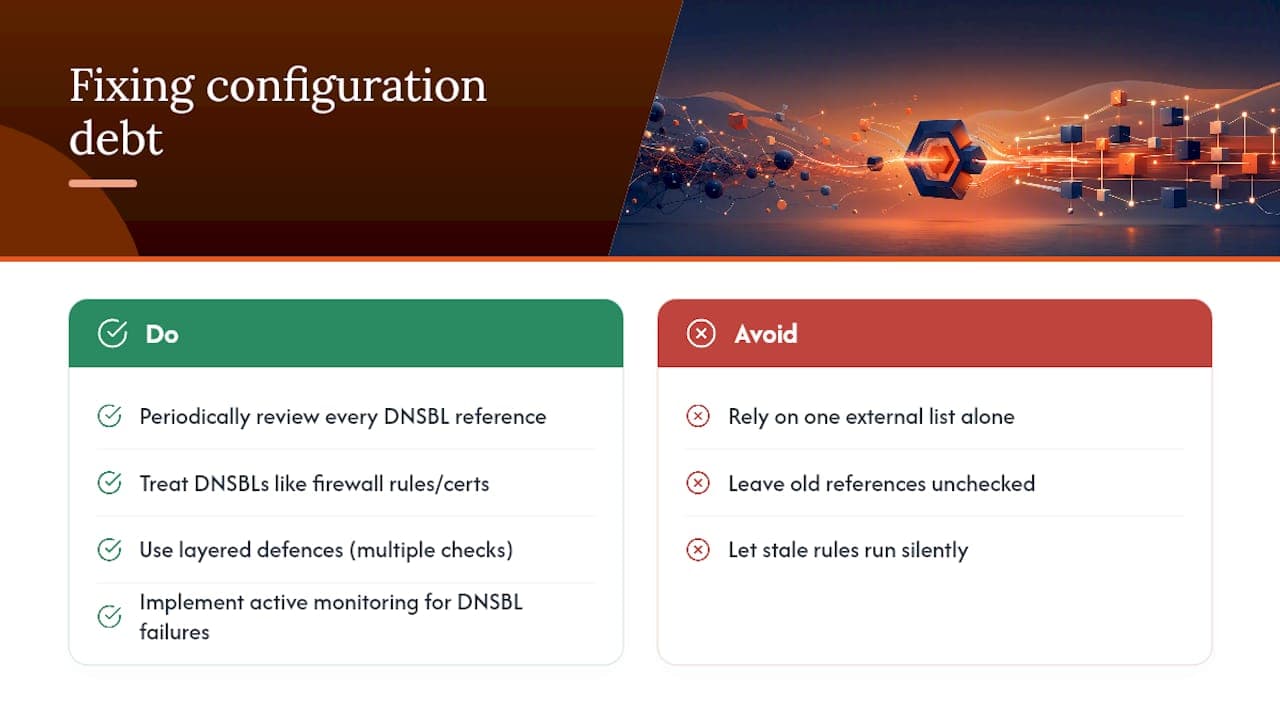
The SORBS shutdown is a small case study in a much bigger problem: mail infrastructure accumulates rules nobody remembers writing, and those rules keep running long after the reason for them has disappeared. A blocklist reference added by an administrator who left the company three years ago can still be silently querying a dead zone today, and it will keep doing so until someone goes looking.
The lesson is not “audit SORBS specifically.” It is that no single external list should ever be the sole gatekeeper in your filtering logic, and every DNSBL reference in your stack deserves the same periodic review you would give a firewall rule or an expired certificate. Layered defences, active monitoring, and a habit of questioning old configuration will catch this kind of debt long before it costs you a client’s inbox placement.
Get expert help clearing up SORBS references and email delivery issues
Digistrat exists for teams that would rather have a specialist fix this properly than spend an afternoon grepping config files across three different mail platforms. Where a DIY cleanup only chases the SORBS string, a proper deliverability review checks every authentication record, sending pattern, and reputation signal that could be causing the same kind of silent failure elsewhere in your stack.

Digistrat’s deliverability services cover exactly this ground: a free health check to establish what is actually happening in your mail pipeline, a full Deliverability Review and Fix where the cause turns out to be more than a stale config line, authentication setup for SPF, DKIM, and DMARC, and an IP warm-up programme if a migration or new sending IP is part of the picture. If you need a faster route to a diagnosis, the 90-minute advisory session at £250 one-off is built for exactly this kind of troubleshooting call. Book a free health check and get a specialist looking at your configuration before the next blocklist scare costs you inbox placement.
Sources
- Spam blocklist SORBS closed by its owner, Proofpoint
- Blocklist Resource: Status of dnsbl.sorbs.net: DEAD
- SORBS Blacklist: Post-Shutdown Guide for 2026
FAQ
How do I unblacklist my email if SORBS is mentioned in a bounce?
Remove every reference to sorbs.net from your mail server and spam filter configuration first, since the service was decommissioned in June 2024 and holds no live data. If a different, active blocklist is genuinely rejecting your mail, identify it from the bounce header and follow that specific provider’s delist process instead.
What is a DNSBL list?
A DNSBL, or DNS-based blocklist, is a list of IP addresses or domains associated with spam, malware, or misconfigured mail servers, queried through ordinary DNS lookups. SORBS was one such list before its shutdown, and Spamhaus ZEN is a widely used, actively maintained alternative today.
Is my domain blacklisted by Google?
Google does not publish a single public blocklist in the way traditional DNSBLs do; poor inbox placement at Gmail usually reflects sender reputation and authentication problems rather than a formal listing. Checking your SPF, DKIM, and DMARC alignment through a tool like our email blocklist check guide is a better starting point than searching for a Google-specific blacklist entry.
How do I check if my public IP is blacklisted?
Run a lookup through a tool such as MXToolbox against your IP, and cross-check any bounce message headers your own logs have captured for the exact blocklist name cited. For a SORBS-specific mention, treat the result as historical rather than current, since all 18 of its zones were emptied at decommissioning.
