
Start very small, send only to your most engaged subscribers, and increase volume by no more than 1.5x at each stage. If your authentication is properly configured and your engagement holds up, expect the full domain warm up to take somewhere between four and eight weeks before you reach normal sending volume.
Table of Contents
- What is a domain warm up, and why does the schedule matter?
- Who should you send to first during warm-up?
- What technical setup do you need before you start?
- Which metrics tell you the warm-up is working?
- What should you do if bounces or complaints spike?
- How long does domain warm-up normally take?
- When does warm-up need professional input?
- Why most warm-up advice undersells the monitoring part
- Get a clear read on where your domain warm-up actually stands
- Sources
- FAQ
What is a domain warm up, and why does the schedule matter?
Domain warm up is the process of gradually increasing email volume from a new or dormant sending domain so that inbox providers like Gmail, Outlook and Yahoo build up trust in your sending pattern before you rely on it for full-scale campaigns. Skip it, or rush it, and you are effectively asking a stranger to vouch for you on day one. Providers respond by filtering you into spam, bulking your mail, or issuing delays until they can work out whether you are legitimate.
The schedule below reflects the two most cited approaches in the industry: Microsoft’s Warm-up process for marketing senders, which anchors everything to recipient engagement history, and Customer.io’s domain warming guidance, which sets the practical caps on how fast you can scale. Together they give you a ramp that is neither reckless nor unnecessarily slow.
- Stage 1 (days 1 to 3): Send to your most engaged 30 day subscribers only, starting around 50 to 200 emails per day depending on your list size. Hold this volume for the full three days before moving on.
- Stage 2 (days 4 to 6): Increase by no more than 1.5x the previous stage’s volume, so a starting point of 200 becomes roughly 300. Customer.io recommends holding each stage for two to three days rather than jumping straight to the next multiplier.
- Stages 3 through 8 or so: Continue applying the 1.5x cap with a three-day hold at each step. A small sender might reach a few thousand daily emails by week three; larger senders will need more stages to reach their full volume safely.
- Throughout every stage: Spread sends across the day using hourly throttling rather than firing a single burst. A provider seeing 5,000 emails land in one hour reads very differently to the same volume spread evenly across twelve hours.
Community practice on discussions often lands on daily increases of around a quarter, broadly consistent with the 1.5x-per-stage rule when spread across a few days rather than applied daily. The two approaches are not in conflict; they are just measuring the ramp at different intervals.
Who should you send to first during warm-up?
Getting the segmentation right matters more than getting the volume right. Sending clean, well-targeted volume to disengaged contacts will damage your domain reputation far faster than sending a slightly higher volume to people who actually open your mail.
- Weeks 1 to 2: Restrict sending to recipients who have engaged (opened or clicked) within the last 30 days.
- Weeks 3 to 4: Expand to your 60-day engaged segment, layering the newer contacts on top rather than replacing the original 30-day group.
- Weeks 5 to 6: Continue to avoid anyone who has not engaged in over 90 days. Microsoft’s own guidance is explicit that unengaged recipients should be left out entirely for the first six weeks.
- Building the cohorts: Most email service providers let you filter by last-open or last-click date, so you can construct these segments directly rather than guessing. A common practical approach is to fold in older segments at around 15 percent increments once the newer cohort is performing well, rather than switching wholesale.
Pro Tip: Before you add an older or previously suppressed segment back in, test it on a tiny slice first. A few hundred sends to a 90-day-plus cohort will tell you whether that list has quietly gone stale before you commit real volume to it.
What technical setup do you need before you start?
None of the ramp schedule above matters if your authentication is broken, so this is the checklist to clear before you send a single warm-up email.
- SPF, DKIM and DMARC need to be correctly configured and aligned, not just present. A DKIM record that does not match your sending domain, or an SPF record that has not been updated for your ESP, will undermine every stage that follows.
- Set up DMARC reporting from day one. The aggregate reports flag authentication failures early, often before they show up as deliverability problems in your open rates.
- Choose a sending subdomain or your root domain, and commit to it. Postmark’s guidance on domain reputation notes that inbox providers increasingly judge domain reputation independently of IP history, so switching domains partway through a warm-up effectively resets the clock.
- Decide between shared and dedicated IPs. A dedicated IP gives you full control but means your reputation is built from scratch; a shared IP inherits the pool’s existing standing, which can help early on but leaves you exposed to other senders’ behaviour.
- Set hourly rate limits at the ESP or sending platform level, and confirm your reverse DNS (PTR) record resolves cleanly and matches your sending hostname.
Which metrics tell you the warm-up is working?
You need a small, disciplined set of numbers to watch, checked daily rather than left to a weekly glance.
Aim to keep your spam complaint rate below 0.08% and your bounce rate under 2% throughout warm-up. Anything consistently above those figures is a signal to pause rather than push forward.
- Spam rate: the single most sensitive metric during warm-up. A spike here, even from a small volume, tells providers something is wrong faster than any other signal.
- Bounce rate: distinguish carefully between 421 temporary delays, which are often just a provider throttling an unfamiliar sender, and permanent 5XX bounces, which point to genuinely invalid addresses that need removing from your list.
- Gmail domain reputation: monitor this directly through Google Postmaster Tools rather than inferring it from open rates alone.
- Daily and weekly checklist: run a small seed list test each day, check your ESP’s deliverability dashboard, and review Postmaster Tools weekly for domain and IP reputation trends.
What should you do if bounces or complaints spike?
A rough patch during warm-up is common and rarely fatal if you respond in the right order.
- Hold the volume increase immediately. Do not move to the next stage until the underlying issue is understood.
- Revert to your most engaged cohort and reduce daily volume by roughly half, then re-evaluate after 48 to 72 hours rather than reacting to a single day’s numbers.
- Investigate authentication first. Check SPF, DKIM and DMARC alignment, then inspect bounce messages for spam-trap patterns, which usually point to a list hygiene problem rather than a sending issue.
- Run a hygiene pass to strip hard bounces and long-dormant addresses before resuming.
- Escalate to a deliverability consultant if the pattern persists beyond a week, particularly with persistent 421 delays, unexplained 5XX bounces, or an ESP migration in the mix. Forensic analysis at that stage often finds issues a standard dashboard will not surface, as covered in more detail in how to fix email deliverability issues.
How long does domain warm-up normally take?
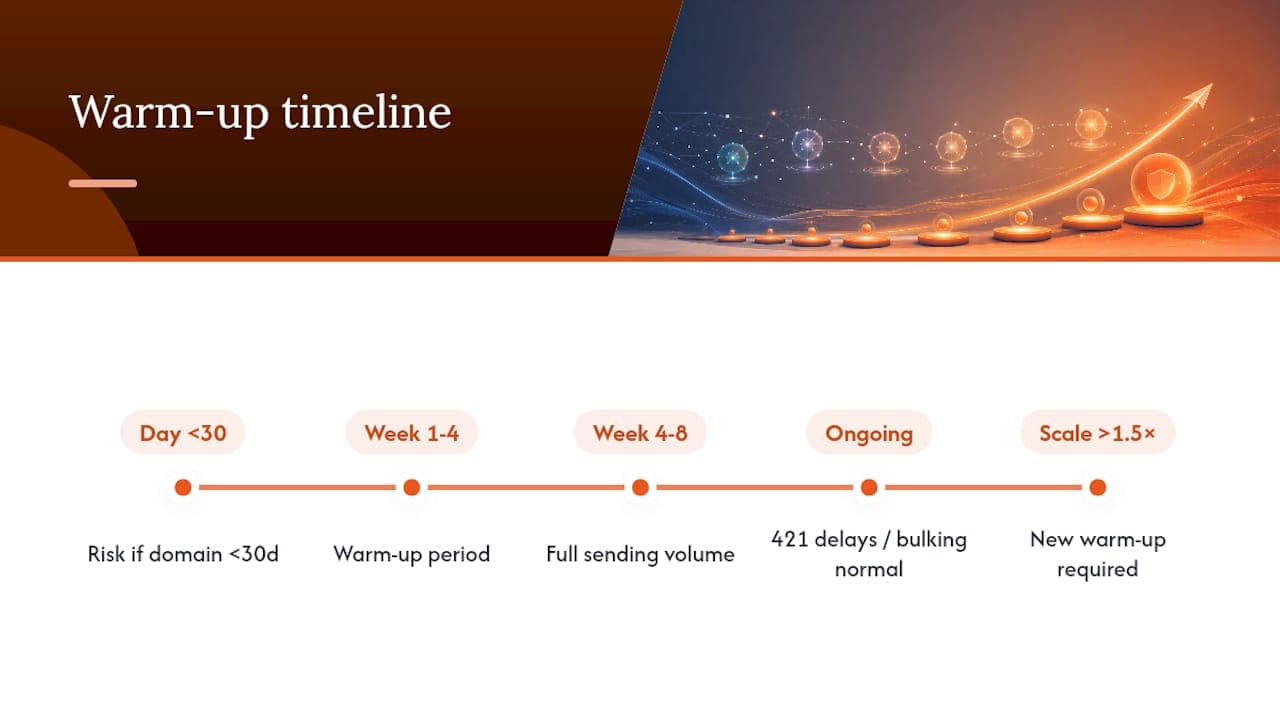
Most domains reach full sending volume within four to eight weeks, though that range stretches considerably if your domain is under 30 days old, your list hygiene is poor, or you are targeting a very large eventual volume. Early bulking and 421 delays are normal ISP behaviour rather than failure signals, and what matters is the pattern over several days rather than any single bounce or bulking event. Once you are fully warmed, treat any future increase beyond 1.5x your established volume as a new warm-up event in its own right, not a simple scale-up.
When does warm-up need professional input?
Most warm-ups succeed with a disciplined schedule and clean authentication, but certain situations benefit from outside expertise. Digistrat specialises in email deliverability for UK and European businesses sending opted-in email, and works with clients through the exact segmentation, authentication and monitoring issues covered in this guide.
A deliverability audit or advisory session tends to pay for itself fastest in three scenarios: ESP migrations where warm-up and platform change happen simultaneously, persistent 421 or 5XX patterns that do not clear after standard remediation, and authentication failures that resist a straightforward SPF or DKIM fix. In those cases, a technical review that separates infrastructure problems from list or content problems, as outlined in what a deliverability consultant actually checks, usually shortens recovery considerably compared with trial and error.
Why most warm-up advice undersells the monitoring part
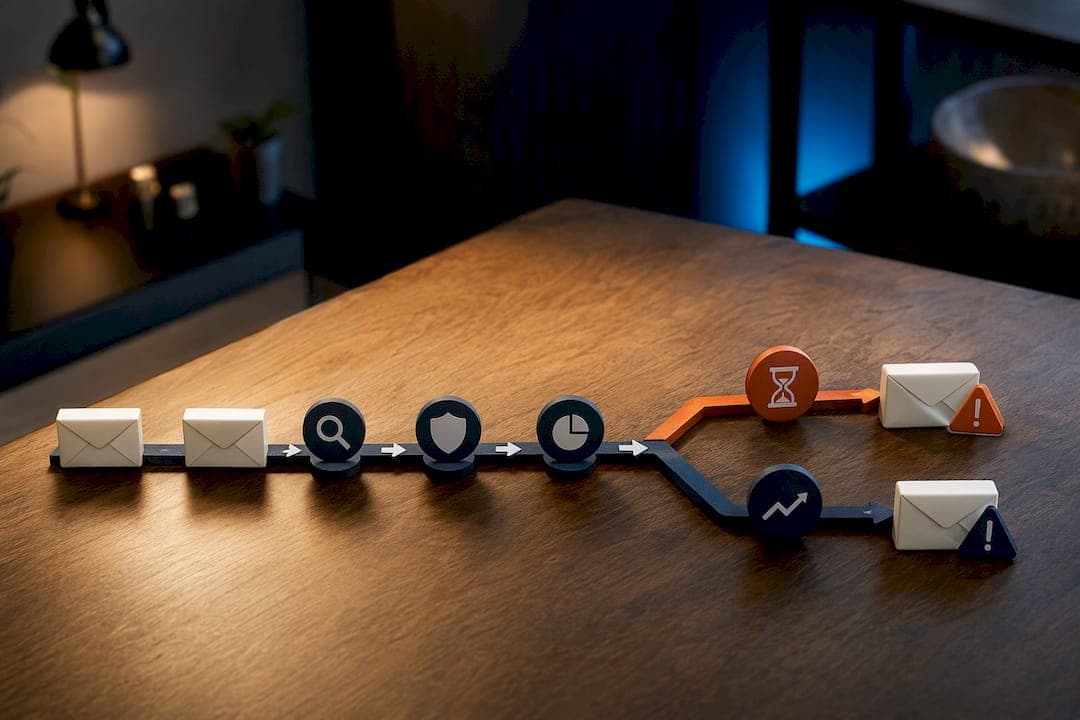
The ramp schedule itself is the easy part of a domain warm up. Most guides, including some vendor documentation, spend the bulk of their word count on the multiplier and the stage lengths, and treat monitoring as an afterthought bolted on at the end. That ordering is backwards. A sender who understands exactly what a 421 delay means, and can tell it apart from a genuine reputation problem, will make better decisions at every stage than one who simply follows a numbered schedule and hopes for the best.
The conventional advice also tends to understate how much segmentation drives the outcome. Two senders following an identical 1.5x ramp will get wildly different results if one is sending to a tightly filtered 30-day engaged list and the other is sending to “everyone who has not unsubscribed.” The schedule is a container; engagement quality is what actually fills it. If there is one thing worth prioritising above the ramp mechanics themselves, it is building genuinely clean segments before volume ever enters the conversation.
Where I would push back hardest on common practice is the instinct to abandon or restart warm-up at the first sign of trouble. Bulking in the first fortnight is not a verdict on your domain; it is a provider working out who you are. Panic resets cost more time than they save.
— James
Get a clear read on where your domain warm-up actually stands
Working through a ramp schedule alone leaves plenty of room for mistakes that only show up weeks later, when a stalled warm-up is harder to unpick than it would have been to prevent. There are services offering UK and European senders a direct, fixed-price alternative to guesswork: a technical audit that checks your authentication, segmentation and infrastructure choices before or during warm-up, rather than after a spam-rate spike forces the question.
If you are mid-ramp and seeing bulking, delays or rising bounces that will not resolve, a 90-minute advisory session gives you a focused plan for what to change next. For a fuller technical picture, including DMARC alignment, IP setup and reverse DNS checks, start with the email deliverability audit and get a concrete assessment of where your domain stands right now.
Sources
- Warm-up process for marketing senders — Microsoft Learn
- Safely warm up your sending domain — Customer.io docs
- How to improve domain reputation for better email deliverability — Postmark
FAQ
How do you warm up a domain?
Send only to your most engaged recipients at low volume, hold each stage for two to three days, and increase by no more than 1.5x per stage while keeping SPF, DKIM and DMARC correctly aligned throughout.
What are the seven types of domains?
This question usually relates to top-level domain categories (such as generic, country-code, sponsored and infrastructure domains) rather than email sending, and it is not something warm-up strategy depends on; your domain warm-up approach is the same regardless of which top-level domain you use.
What is the 30/30/50 rule for cold emails?
This specific split is not a recognised deliverability standard, and definitions of it vary considerably across sources; the engagement-based approach used throughout this guide, sending first to 30-day and then 60-day engaged recipients, is the version with solid backing from Microsoft’s own warm-up guidance.
What is the best free tool for warming up email?
There is no single tool that suits every sender, and free automated warm-up tools carry real risk if they generate artificial engagement that does not reflect genuine recipient interest. A manual, engagement-first schedule combined with Google Postmaster Tools for monitoring, or a proper deliverability audit for anything beyond a small list, tends to produce more reliable results.
