
Rotate your DKIM keys at least annually, and twice a year if your domain has higher security risk, using a dual-selector method that publishes a new key alongside the old one before switching signing over. This overlap, recommended by M3AAWG, lets delayed mail finish verifying against the retiring selector while new mail signs with the fresh one. Where your platform supports CNAME based automation, such as Microsoft 365, much of this becomes hands-off once configured. We walk through the full playbook below, at Digistrat.
TL;DR:
- Use a unique selector for every rotation, and choose 2048 bit RSA keys when both your sending platform and DNS provider support them.
- Keep both selectors active for at least seven days; three to five days works only when delivery and retry patterns are faster.
- Allow 72 hours to seven days for DNS changes to propagate, then verify the new selector in outgoing signature headers and DMARC reports.
- Microsoft 365 can rotate keys after two CNAME records are configured, but switching to the new key may take up to 96 hours.
- After suspected compromise, publish a new selector, switch signing when DNS allows, and revoke the old key with an empty p value once replacement works.
Digistrat
Keep DKIM Changes From Hurting Deliverability
Digistrat assesses sender reputation, infrastructure and list quality to help businesses address email deliverability challenges.
Explore email deliverability support
Table of Contents
- Why rotate DKIM keys: security and operational rationale
- Key technical parameters: selectors, key size and the rule against selector reuse
- Step-by-step zero-downtime rotation (dual-selector playbook)
- Platform automation and vendor patterns
- Emergency rotation and revocation: immediate actions and priorities
- Testing, verification and monitoring after rotation
- Operational checklist and scheduling templates for rotations
- How we support safe DKIM rotation and deliverability
- FAQ
- Sources
Why rotate DKIM keys: security and operational rationale
A DKIM key that sits unchanged for years is a growing liability rather than a stable asset. The longer a private key stays in use, the more opportunity there is for it to leak through a compromised server, a careless backup, or an old configuration file nobody remembered to delete. Rotation limits the window during which a stolen key remains useful to an attacker, and it shrinks the practical risk of replay style abuse where old, valid signatures are reused against a domain’s reputation.
There is also a cryptographic argument. Many domains still sign with 1024-bit keys inherited from early DKIM deployments, and shifting to 2048-bit keys where your platform supports it gives meaningfully stronger protection against brute-force attacks. The IETF’s DKIM2 best-practice draft treats this kind of planned key turnover as standard operational hygiene rather than an optional extra, and auditors increasingly expect to see evidence of it.
A few concrete reasons rotation earns its place on the calendar:
- It limits how long a compromised private key stays exploitable before it is quietly retired.
- It allows a controlled move from 1024-bit to 2048-bit keys without breaking live signing.
- It satisfies audit and secrets-management expectations that treat cryptographic keys like any other credential with a defined lifecycle.
- It reduces the chance that a long-forgotten selector becomes the weak link an attacker finds first.
None of this requires drama. Treated as a scheduled task rather than a crisis response, DKIM rotation becomes a routine entry in the same calendar that already tracks certificate renewals and access reviews.
Key technical parameters: selectors, key size and the rule against selector reuse
A selector is the label that lets a receiving server find the right DKIM public key in your DNS. It appears in the signed header as the s= tag and points to a TXT record published at a path such as selector1._domainkey.yourdomain.com. Each selector maps to exactly one public key, which is what makes selectors the mechanism that makes safe rotation possible in the first place: you can publish a second selector with a new key while the first one is still live and trusted.
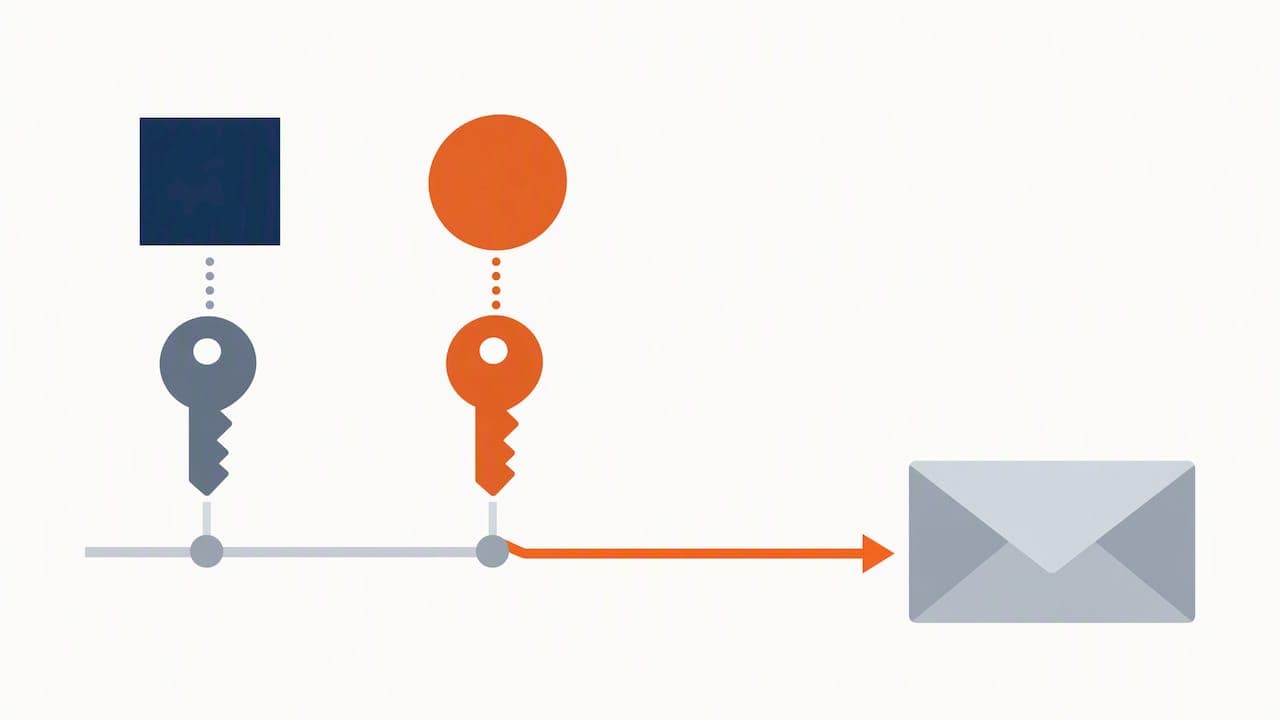
The rule that trips up more administrators than any other is selector reuse. RFC 6376 describes DKIM as depending entirely on DNS for key retrieval, so a selector you have already used should never be recycled with a different key; always create a new one for every rotation, even if that means your DNS gradually accumulates selector names over time.
A few parameters worth fixing in policy before your first rotation:
- Use 2048-bit RSA keys where your sending platform and DNS provider both support the longer TXT value, and only fall back to 1024-bit where a specific platform genuinely cannot handle it.
- Never reuse a selector name; increment it, date it, or otherwise make each one unique.
- Record the key’s creation date, its bit length, the selector name, and the date it is due for retirement in a simple rotation log.
Pro Tip: Name selectors with the rotation date baked in, such as s202603, so the DNS record itself tells you when the key was issued without needing to check a separate log.
Step-by-step zero-downtime rotation (dual-selector playbook)
The method that avoids breaking authentication mid-rotation is the same one recommended across platform documentation and IETF guidance: run two selectors in parallel for a defined overlap, then retire the old one once you are confident nothing still depends on it.
- Generate a new key pair and publish the new selector’s public key as a TXT record, leaving the existing selector and its record untouched.
- Confirm the new TXT record has propagated globally before touching your signing configuration; DNS lookups from several regions or a propagation checker tool will confirm this.
- Switch signing on your sending platform to the new selector, ideally during a quieter sending window so any issue surfaces against a smaller volume of mail.
- Watch the
s=value in outgoing DKIM-Signature headers and your DMARC aggregate reports to confirm the new selector is passing consistently across the receivers that matter to you. - After a safe overlap period, remove the old selector’s DNS record, and if compromise is suspected rather than simple ageing, publish an empty
p=value against the old selector first to revoke it outright.
The overlap length is the detail most often got wrong. M3AAWG’s guidance points to a minimum of seven days to allow for delayed retries and queued mail, though three to five days is workable for many estates with faster delivery patterns.
Pro Tip: Keep both selectors live for at least a full business cycle (including a weekend) before removing the old one, since retry queues often clear slower than administrators expect.
Platform automation and vendor patterns
How much of this you do by hand depends heavily on your sending platform. Microsoft 365 uses a dual CNAME approach: once you publish the two CNAME records it specifies, the platform can rotate the underlying keys and flip which one is active without you touching DNS again, which can be simplified with effective email signature management & brand deployment practices. According to Microsoft Learn’s configuration guidance, rotation actions triggered through the Defender portal or the Rotate-DkimSigningConfig PowerShell command typically take up to 96 hours to complete and begin signing with the new key, so patience during that window is expected behaviour rather than a fault.
Google Workspace and many email service providers work differently: you generate a new key through the admin console, publish it as a TXT record, and manage the rotation timing yourself. One practical wrinkle is that 2048-bit keys often exceed the character limit of a single TXT string and need splitting into multiple quoted segments within the same record, which some DNS providers handle more gracefully than others.
Worth checking before you assume automation has you covered:
- Whether your platform rotates keys automatically once CNAMEs are configured, or only generates new key material that you must still publish yourself.
- Whether your DNS provider correctly handles long TXT values split across multiple strings for 2048-bit keys.
- Whether a completed rotation shows up in your platform’s authentication dashboard, not just in raw DNS.
Emergency rotation and revocation: immediate actions and priorities
A suspected private key compromise, whether from a leaked backup, an unexpected vendor change, or DKIM-signed traffic you did not originate, calls for a faster version of the same playbook rather than a different one.
- Publish a new selector immediately and switch signing to it as soon as DNS propagation allows, rather than waiting for a scheduled window.
- Shorten the overlap period as much as is safe, balancing speed against the risk of breaking mail still queued against the old selector.
- Publish an empty
p=value against the compromised selector to revoke it outright once the new selector is confirmed working. - Document what happened, when it was detected, and what was changed, and notify anyone who depends on that domain’s deliverability so they are not caught off guard by a temporary dip in signature pass rates.
Treating this as a documented incident rather than a quiet fix pays off later if the same pattern recurs or an audit asks for evidence of how it was handled.
Testing, verification and monitoring after rotation
Confirming a rotation actually worked takes more than checking that DNS resolves. Inspect the s= value in the DKIM-Signature header of outgoing mail to confirm the new selector is the one signing, and cross-reference your DMARC aggregate reports to see pass rates and alignment holding steady across the receivers that send you data.
DNS propagation for a new TXT record typically completes within 72 hours to seven days, a window confirmed by the IETF’s DKIM2 operational guidance, so verification checks run too early can give a false sense that something has gone wrong when propagation simply has not finished.
A short list worth adding to a monitoring routine:
- Automated lookups confirming both the old and new selector TXT records resolve correctly during overlap.
- A DMARC aggregate report review a few days after switching signing, watching specifically for a drop in pass rate on the new selector.
- An alert or SIEM rule for DKIM failures spiking on your domain, which catches both rotation mistakes and genuine abuse early.
Operational checklist and scheduling templates for rotations
A rotation only stays painless if it is planned rather than improvised. Before touching anything, inventory your current selectors, back up existing DNS records, and confirm who has access to make the change on both the DNS and sending-platform sides.
- Pre-rotation: back up current DNS records, confirm access, and generate the new key pair.
- Execution: publish the new selector, verify propagation, switch signing, and monitor pass rates through the overlap window.
- Post-rotation: remove the old selector, update the rotation log, and schedule the next rotation date.
For estates running several sending platforms, stagger rotations rather than doing them all on the same day, since that limits the blast radius if one platform behaves unexpectedly and gives you time to catch platform-specific quirks before they compound.
| Cadence type | Typical interval | Best suited to |
|---|---|---|
| Standard | at least annually | Lower-risk domains with stable sending volume |
| Heightened | twice a year | Domains handling higher-value transactional mail |
| Emergency | Immediate | Suspected key compromise or leaked credentials |
Keeping this on a shared calendar, alongside certificate renewals and access reviews, is usually enough to stop it slipping for another year.
How we support safe DKIM rotation and deliverability
Getting rotation right without disrupting mail flow is straightforward on paper, but the detail work, confirming propagation, choosing the right overlap, catching a DNS provider that mishandles long TXT strings, is where most in-house teams lose time. Our authentication setup service covers these aspects: we configure selectors, key sizes and rotation schedules directly, rather than only flagging what needs fixing.
For a broader view of how your current SPF, DKIM and DMARC setup is performing, our deliverability review and fix service checks authentication alongside sender reputation and infrastructure, so a rotation is planned with the full picture in view rather than in isolation. If you want focused expert input without a longer engagement, our advisory session is a one-off 90-minute technical review priced at £250, often enough to settle a rotation schedule and runbook for good. Whichever route fits your team, we can walk through your current setup and recommend the next step.
FAQ
How often should DKIM keys be rotated?
Industry guidance from M3AAWG recommends rotating DKIM keys at least annually, with six-month cycles for domains carrying higher security requirements. Treating this as a fixed calendar entry rather than a reactive task keeps exposure consistently low.
What happens if I delete the old selector too soon?
Mail that was signed with the old selector but is still queued or being retried by a receiving server will fail DKIM verification once that selector’s DNS record disappears. This is the most common rotation mistake administrators make, and a proper overlap period of several days prevents it entirely.
Can I reuse an old DKIM selector name for a new key?
No. Operational guidance from the IETF’s DKIM2 draft is explicit that each rotation should use a new selector name, never one that has previously been published, to avoid ambiguity during the transition period.
Does Microsoft 365 rotate DKIM keys automatically?
Once the two CNAME records are published, Microsoft 365 can rotate the underlying key automatically, with the switch to signing with the new key typically completing within 96 hours. Administrators still need to confirm the CNAMEs are correctly published at the outset.
How long should I keep both DKIM selectors active during rotation?
A minimum overlap of seven days is the safer recommendation from M3AAWG, though three to five days is workable for estates with faster mail delivery and retry patterns. Longer overlaps cost nothing but DNS space and remove almost all risk of verification failures.
Sources
- M3AAWG: DKIM key rotation best practice
- IETF: draft-ietf-dkim-dkim2-bcp
- Microsoft Learn: Configure DKIM for custom domains
