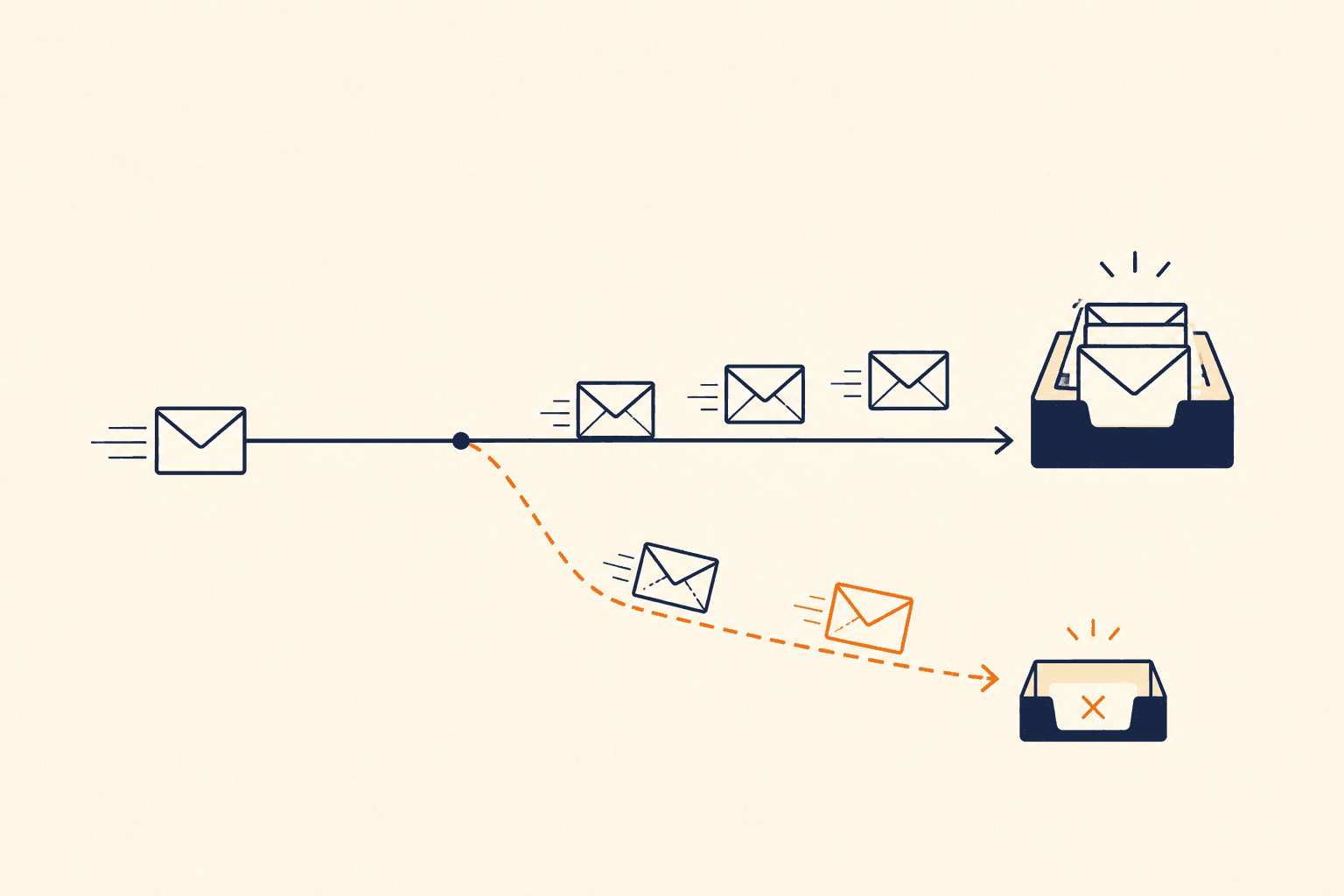
When you open your email platform and see a delivery rate of 99 percent, it feels like the job is done. The technical setup is working, the emails are going out, and nothing on the dashboard is flashing red. The trouble is that this number tells you almost nothing about whether your emails are actually being read, and for any business where email drives revenue it can hide a real commercial problem sitting in plain sight.
Every email that lands in spam instead of the inbox is revenue you have already earned but never received. You paid to acquire the subscriber, you built the relationship, and you wrote the message. If that message ends up in a folder nobody checks, all of that effort is spent and none of the return arrives. A high delivery rate can run alongside that loss quite happily, because the two things measure completely different events.
Why your delivery rate is the wrong thing to celebrate
The word that causes the confusion is "delivered". When your platform sends an email, the recipient's mail server replies with a short technical acknowledgement, the well-known "250 OK" message. That reply confirms one thing only: the server received the data without rejecting it outright. It says nothing about where the message goes next.
What happens after that handshake is a private decision made inside the mailbox provider's own filtering systems. Gmail, Outlook, Yahoo and the corporate filters used across UK businesses all decide for themselves whether your email belongs in the primary inbox, the promotions tab, the spam folder, or whether it should be quietly discarded before the recipient ever sees it. Your platform never finds out which of those happened. It logs the message as delivered and moves on.
This is the gap that catches people out. Delivery is about acceptance. Deliverability is about placement, and placement is where the revenue lives. You can be delivering 99 percent of your email and still be landing a meaningful share of it somewhere your customers will never look.
The symptoms tend to be quiet at first, which is exactly what makes them dangerous. Open rates drift down without any change to your subject lines. Customers start mentioning that they never received a password reset or an order confirmation. A campaign that used to convert begins to underperform for no obvious reason. None of this shows up as a failure on the dashboard, because technically nothing failed.
The three layers where deliverability actually breaks
Before you start rewriting subject lines or pruning your list on instinct, it helps to understand where inbox placement is decided. Deliverability problems almost always sit in one of three layers, and the most damaging ones are usually in the layer nobody has been checking.
Authentication and infrastructure
Mailbox providers are under constant pressure from spoofing and phishing, so they will not give the benefit of the doubt to a sender they cannot verify. If they cannot confirm that an email genuinely came from you, the safe assumption from their point of view is that it did not, and it goes to spam. Three protocols do the verifying.
SPF, the Sender Policy Framework, is the published list of servers allowed to send email on your behalf. DKIM, DomainKeys Identified Mail, adds a cryptographic signature that proves the message was not tampered with on its way to the recipient. DMARC then ties the two together and tells the mailbox provider what to do when a message fails those checks. When your SPF, DKIM and DMARC records are misaligned, even slightly, your placement suffers no matter how good the email itself is.
Sender reputation
Your reputation is a score that mailbox providers attach to your sending domain and your IP address, and it is built up over time from how you behave. Spike your volume suddenly, send to old or dead addresses, or collect a run of spam complaints, and that score drops. It works a little like a credit score for your sending: easy to damage in a week, slow to repair over the following months. Once it slips, the same emails you have always sent start landing in spam, and the cause is invisible unless you are looking directly at the reputation signals. This is the reason we treat email reputation monitoring as an ongoing function for clients rather than a one-off check, because the drop almost always happens quietly.
List quality and engagement signals
Modern filters lean heavily on how people respond to you. When recipients open, click and reply, Gmail and Outlook read you as a sender worth trusting, and your inbox placement holds. When recipients ignore you, or worse, mark you as spam, that placement degrades for everyone on your list, including the engaged subscribers who genuinely want to hear from you. This is the part most teams miss: sending to your dead weight actively hurts delivery to your best customers. Poor list quality also introduces spam traps and hard bounces into your sending, and those are among the clearest red flags a filter can see.
How to run a proper email deliverability check
A real check is not a single click, but it does follow a clear order. Work through these three stages and you will know whether your problem is technical, reputational, or behavioural, which tells you what to actually fix.
Step one: the technical audit
Start with your DNS records and confirm that your authentication protocols are present and correctly formatted. Pay particular attention to your DMARC policy. If it is set to p=none, you have visibility but no protection against spoofing, which is the most common state we find. If it is set to p=reject while your SPF or DKIM is misconfigured, you can end up blocking your own legitimate email, which is the more painful failure of the two. If you are stuck at p=none and unsure how to reach enforcement without breaking legitimate mail, our 90-day DMARC plan for UK senders walks through the full sequence. Getting this layer right is the foundation everything else rests on, and our guide to why emails go to spam covers the wider structural causes.
Step two: the reputation scan
Next, check whether your sending domain or IP has landed on any of the major blocklists. Some carry far more weight than others, and Spamhaus is the one to watch most closely, but appearing on any of them is a signal that your list hygiene or your sending volume needs attention. Google Postmaster Tools is invaluable at this stage, because it shows you how Gmail specifically views your domain rather than leaving you to guess. If you suspect you have been listed, our email blocklist check walks through how to confirm it and what to do next.
Step three: inbox placement testing
Finally, send a test email to a seed list of addresses spread across the providers your audience actually uses. In the UK that means Gmail, Outlook and Microsoft 365, Yahoo, and the corporate filters common in business inboxes. Microsoft in particular matters here, because so many UK organisations run on Microsoft 365 that Outlook filtering can cost you as much placement as Gmail does, and the two providers do not make the same decisions. By checking where your email lands in each environment, you find out whether you have a universal problem or one that is specific to a single provider, which changes how you fix it.
The fastest way to get a first read
Working through email headers and DNS records by hand takes time and a fair amount of specialist knowledge, and when you are feeling the symptoms of a deliverability problem, what you usually want first is speed and a clear picture.
That is exactly what we built the free email health check to give you, and it works differently from anything in your sending platform. You visit the tool, you are given a unique temporary test address, and you send a single email to it from your real sending platform, whether that is HubSpot, Klaviyo, Mailchimp or your own backend. The tool then inspects the structure, the headers and the authentication of that message as it actually arrives.
Within seconds you get a score for your technical foundation, covering everything from SPF alignment to your list-unsubscribe headers, with the issues laid out in priority order so you know what to deal with first. There is no sign-up, and we do not store your email content. We only inspect the technical metadata that tells us how your setup is performing.
What to do with what you find
A high delivery rate is not proof that your email is working. It is proof that servers are accepting your messages, which is a much smaller and less useful fact than it appears. If your email revenue has flattened, or your open rates have dropped without an obvious cause, the honest next step is to look under the bonnet rather than trust the dashboard.
Start with the technical foundation, because everything else depends on it. Confirm your authentication is locked down and your DMARC policy is moving towards enforcement rather than sitting passively at p=none. From there, turn to reputation and list quality, which is where most of the quiet, expensive damage accumulates. Deliverability is not a task you complete once and forget. It is an ongoing measurement problem, and the businesses that treat it that way are the ones whose email keeps reaching the inbox while their competitors wonder where the revenue went.
If you would rather not work through it alone, the quickest starting point is to run the free health check for an immediate read on your technical setup. If you would prefer to talk it through with someone, you can book a free check-up and we will run your domain through a full assessment beforehand and walk you through every finding in plain English, with no pitch and no obligation.
